
Updated on September 1, 2026, by OpenEDR
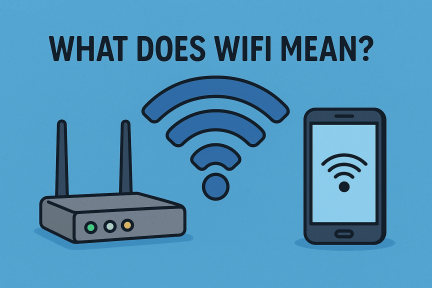
Wi-Fi is the brand name for a family of wireless networking technologies based on the IEEE 802.11 standards. It allows devices such as laptops, smartphones, tablets, printers, smart TVs, and IoT devices to communicate over a local network using radio waves instead of physical network cables.
Wi-Fi is commonly used to connect devices to a router or wireless access point, which may then provide access to the internet.
Importantly, Wi-Fi does not officially stand for “Wireless Fidelity.” The name was created as a marketing term to make IEEE 802.11 wireless networking easier to recognize and remember.
Have you ever wondered, what does WiFi mean and how does it power the modern digital world? Today, WiFi is more than just an internet buzzword—it’s the foundation of connectivity for homes, businesses, and global communications. For IT managers, cybersecurity experts, and business leaders, understanding WiFi’s definition, security risks, and benefits is essential to keeping operations running smoothly.
This guide explores WiFi’s meaning, its history, how it works, and its role in cybersecurity, so you can make smarter decisions for your digital infrastructure.
Does WiFi Stand for Wireless Fidelity?
No. Wi-Fi does not officially stand for Wireless Fidelity.
This is one of the most common misconceptions about Wi-Fi.
The name Wi-Fi was created by the branding company Interbrand as a simpler, more memorable name for IEEE 802.11 wireless networking technology.
The phrase “Wireless Fidelity” appeared later in an early marketing slogan, which contributed to the mistaken belief that Wi-Fi was an acronym.
Therefore, the most accurate wording is:
Wi-Fi is a brand name for IEEE 802.11-based wireless networking technology; it is not officially short for “Wireless Fidelity.”
What Does WiFi Mean?
WiFi stands for Wireless Fidelity, though the term is often used more as a marketing label than a strict acronym. In simple terms, WiFi refers to a set of wireless networking protocols based on IEEE 802.11 standards that allow devices like laptops, smartphones, and IoT systems to connect to the internet without physical cables.
Instead of relying on wired Ethernet, WiFi uses radio waves to transmit data between a router and connected devices, enabling fast, seamless communication.
A Brief History of WiFi
Understanding what WiFi means also requires looking at its origins:
1997 – The first version of IEEE 802.11 was introduced, offering speeds of 2 Mbps.
1999 – The Wi-Fi Alliance was formed to promote and standardize wireless technology.
2000s – WiFi became mainstream, replacing dial-up and wired LANs in homes and offices.
Today – WiFi 6 and WiFi 6E provide gigabit speeds and support for massive IoT ecosystems.
This evolution transformed WiFi from a niche technology into the backbone of global communication.
How WiFi Works
At its core, WiFi connects devices wirelessly to a router, which then links them to the internet. Here’s how the process works:
Router Sends Signals – The router broadcasts radio signals over 2.4 GHz or 5 GHz frequency bands.
Devices Connect – Smartphones, laptops, and IoT devices detect these signals and establish connections.
Data Transmission – Information is sent and received through encrypted radio signals.
Internet Access – The router connects to the modem, which communicates with your ISP.
This invisible flow of data is what keeps business operations, emails, and cloud apps running 24/7.
Is Wi-Fi the Same as the Internet?
No. Wi-Fi and the internet are different technologies.
Wi-Fi connects devices to a local wireless network.
The internet is the global network of networks used to access websites, cloud applications, email, streaming services, and other online resources.
| Wi-Fi | Internet |
|---|---|
| Local wireless networking technology | Global network infrastructure |
| Uses radio waves | Uses many wired and wireless technologies |
| Can exist without internet access | Does not depend specifically on Wi-Fi |
| Connects devices locally | Connects networks worldwide |
| Usually provided by a router/access point | Usually provided through an ISP |
You can therefore have:
Wi-Fi without internet.
For example, devices on a local Wi-Fi network could still communicate with a wireless printer even if the internet connection is unavailable.
What Is the Difference Between Wi-Fi and a Router?
A router is a networking device.
Wi-Fi is a wireless communication technology.
Many modern routers include built-in wireless access-point functionality, which is why people often refer to the router itself as “the Wi-Fi.”
A router may:
- Connect networks.
- Assign devices local IP addresses.
- Direct network traffic.
- Provide firewall functionality.
- Include Wi-Fi radios.
Wi-Fi is one method devices use to connect to that router.
Router vs. Modem vs. Wi-Fi
| Technology | Main Purpose |
|---|---|
| Modem/ONT | Connects your location to the internet service |
| Router | Directs traffic between local devices and networks |
| Wi-Fi Access Point | Provides wireless network connectivity |
| Wi-Fi | Wireless networking technology |
Some internet providers supply a single gateway device that combines these functions.
Why WiFi Matters for Businesses
For IT managers and CEOs, WiFi is more than convenience—it’s a strategic necessity. Here’s why:
Mobility – Employees can connect anywhere in the office.
Scalability – Businesses can easily add new devices without rewiring networks.
Cost Efficiency – Lower infrastructure costs compared to wired networks.
Remote Work Support – Enables secure VPN and cloud access.
Security Concerns with WiFi
While WiFi is powerful, it also poses cybersecurity risks if not properly managed.
Common Risks
Unauthorized Access – Hackers may exploit weak passwords.
Data Interception – Without encryption, data can be stolen in transit.
Rogue Hotspots – Attackers can trick users into connecting to fake networks.
IoT Vulnerabilities – Connected devices often have weaker security protections.
What Is an SSID?
SSID stands for Service Set Identifier.
In practical terms, it is the name of a Wi-Fi network.
Examples might be:
- Office-WiFi
- HomeNetwork
- Guest-WiFi
When you open the Wi-Fi menu on a laptop or phone, the names you see are generally SSIDs being advertised by nearby access points.
Changing the SSID does not by itself secure a network.
Strong authentication and encryption are more important.
2.4 GHz vs. 5 GHz vs. 6 GHz Wi-Fi
| Band | Typical Strength | Common Use |
|---|---|---|
| 2.4 GHz | Range and compatibility | IoT, longer-distance coverage |
| 5 GHz | Speed and capacity | General modern devices |
| 6 GHz | High capacity and low congestion | Wi-Fi 6E/7 devices |
Do not assume that the highest-frequency band is always best.
A device farther from the router may perform better on another band depending on walls, interference, and network design.
Best Practices for Secure WiFi
Always use WPA3 encryption instead of outdated WEP/WPA.
Change default router passwords immediately.
Enable firewalls and network segmentation.
Use VPNs for remote workers.
Regularly update router firmware.
WiFi Standards Explained
To fully answer what does WiFi mean, let’s break down the different standards:
WiFi 4 (802.11n) – Introduced MIMO technology, faster than previous versions.
WiFi 5 (802.11ac) – Higher speeds, better streaming, and lower latency.
WiFi 6/6E (802.11ax) – Supports multiple devices, IoT, and faster connections.
WiFi 7 (upcoming) – Promises even higher throughput and lower latency.
Each new version enhances speed, efficiency, and security.
What Are Wi-Fi Standards?
Wi-Fi generations are based on IEEE 802.11 standards.
| Wi-Fi Generation | IEEE Standard | Key Improvement |
|---|---|---|
| Wi-Fi 4 | 802.11n | MIMO and improved performance |
| Wi-Fi 5 | 802.11ac | Higher 5 GHz throughput |
| Wi-Fi 6 | 802.11ax | Better efficiency and dense-device performance |
| Wi-Fi 6E | 802.11ax + 6 GHz | Access to 6 GHz spectrum |
| Wi-Fi 7 | 802.11be | Wider channels, MLO, higher throughput |
WiFi and Cybersecurity
For businesses, WiFi must align with cybersecurity frameworks. Some strategies include:
Zero Trust Networking – Never trust, always verify.
Endpoint Security – Protect devices connecting to WiFi.
Threat Detection – Monitor WiFi traffic for unusual activity.
Managed Security Solutions – Partner with cybersecurity vendors like OpenEDR for continuous protection.
Wi-Fi 6 vs. Wi-Fi 6E vs. Wi-Fi 7
| Feature | Wi-Fi 6 | Wi-Fi 6E | Wi-Fi 7 |
|---|---|---|---|
| IEEE basis | 802.11ax | 802.11ax | 802.11be |
| 2.4 GHz | Yes | Yes | Yes |
| 5 GHz | Yes | Yes | Yes |
| 6 GHz | No | Yes | Yes |
| Max channel width | 160 MHz | 160 MHz | Up to 320 MHz |
| Multi-Link Operation | No | No | Yes |
| Focus | Efficiency | More spectrum | Speed, latency and capacity |
Future of WiFi Technology
WiFi is moving toward faster, smarter, and more secure systems:
WiFi 6E expands into the 6 GHz spectrum for higher performance.
AI-driven WiFi predicts and mitigates connectivity issues.
WiFi for IoT connects billions of devices securely.
Integration with 5G creates hybrid wireless ecosystems.
Businesses that invest in cutting-edge WiFi technology today will future-proof their operations.
FAQ: What Does WiFi Mean?
Q1. Is WiFi the same as the internet?
No. WiFi is the technology that connects devices to the internet, but the internet itself is the global network of connected servers and systems.
Q2. What does WiFi mean for security?
It means businesses must encrypt traffic, monitor devices, and prevent unauthorized access to avoid breaches.
Q3. Does WiFi stand for Wireless Fidelity?
Yes, though today it is commonly treated as a brand name rather than a literal acronym.
Q4. What is the difference between WiFi and mobile data?
WiFi uses local wireless routers, while mobile data connects through cellular networks like 4G/5G.
Q5. Can WiFi be hacked?
Yes, if networks are unsecured. That’s why WPA3 encryption, firewalls, and endpoint security are essential.
Conclusion
So, what does WiFi mean? It’s the invisible backbone of modern communication—allowing seamless wireless connectivity across homes, enterprises, and entire cities. But with its convenience comes risk. For businesses, securing WiFi means more than strong passwords—it requires robust cybersecurity strategies.
This is where OpenEDR excels. By combining endpoint protection, threat intelligence, and Zero Trust security, OpenEDR ensures that your WiFi network remains safe from hackers and cyber threats.
👉 Take control of your network security today. Register for Free and protect your business with OpenEDR’s enterprise-grade solutions.

 Loading...