Updated on November 18, 2025, by OpenEDR
Have you ever wondered why some businesses run smoothly with minimal tech issues while others constantly struggle with slow apps, system crashes, and frustrated employees? The secret isn’t “better luck”—it’s better software support. In today’s tech-driven world, software problems affect productivity, security, customer service, and even revenue. That’s why having the right software support strategy is essential for IT managers, cybersecurity teams, CEOs, and business operators across all industries.
In this conversational guide, we’ll break down everything you need to know about software support, including support models, best practices, cybersecurity essentials, troubleshooting processes, optimization tips, and tools modern businesses rely on. This guide is easy to follow, packed with value, and written with real-world workflows in mind.
⭐ What Is Software Support? (Simple Definition)
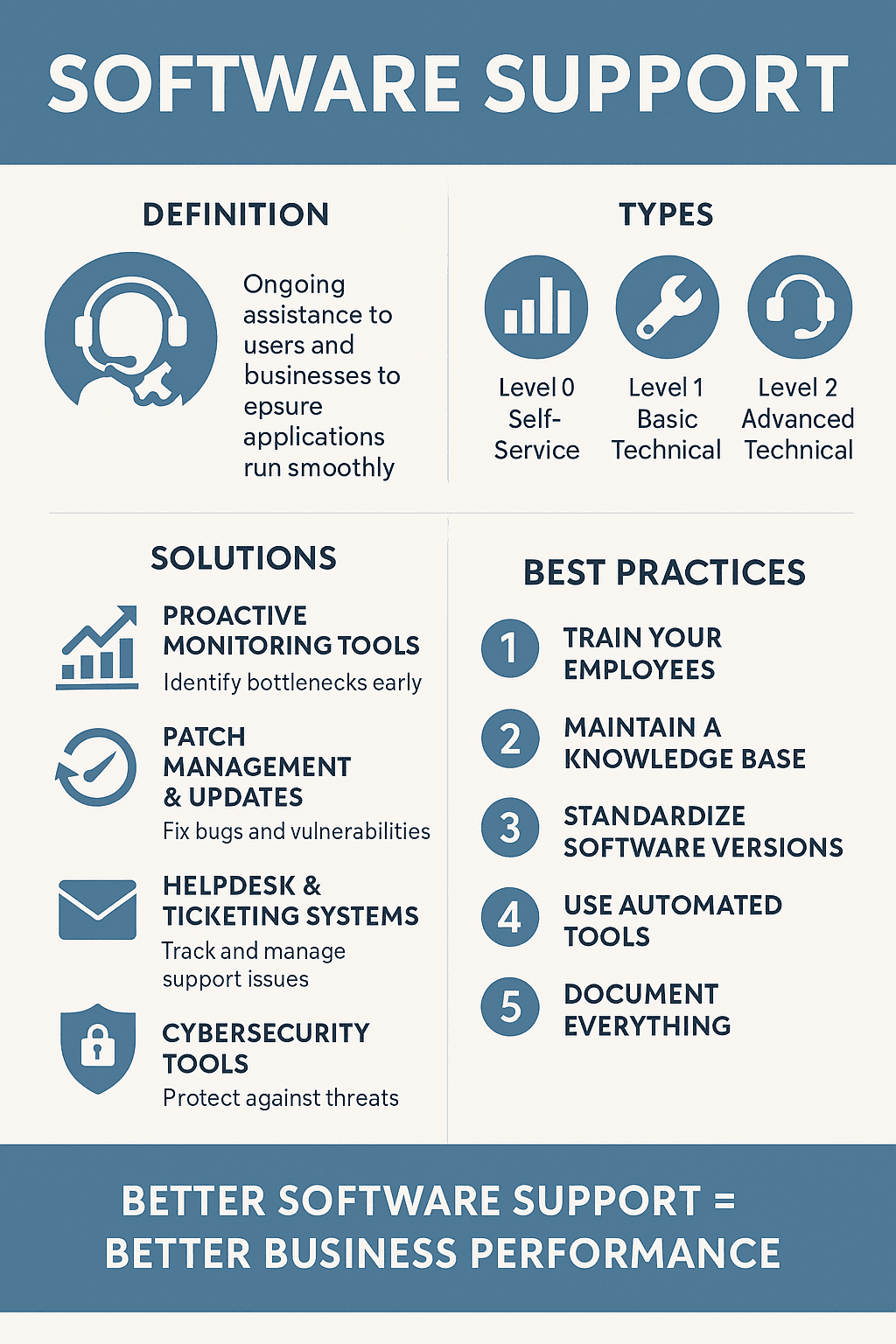
Software support is the ongoing assistance provided to users and businesses to ensure their applications run smoothly. It includes:
Troubleshooting issues
Installation and updates
Bug fixing
Performance optimization
Security patching
Technical guidance
Integration assistance
Every organization—from small teams to multi-cloud enterprises—relies on effective software support solutions to keep their systems fast, reliable, and secure.
⭐ Why Software Support Matters for Modern Businesses
Software failures don’t just slow operations—they can cost companies millions in downtime and data loss.
Here’s why software support is essential:
✔ Higher Productivity
Fewer disruptions = more work gets done.
✔ Improved Cybersecurity
Software vulnerabilities need immediate patching to avoid attacks.
✔ Happier Employees
Smooth software = less frustration + better performance.
✔ Better Customer Experience
Service-driven businesses depend on functioning software.
✔ Reduced Long-Term Costs
Proactive support prevents expensive breakdowns later.
Strong software support solutions become a strategic advantage for every organization.
🧭 Types of Software Support (Levels 1 to 5)
Understanding support levels helps businesses streamline their helpdesk structure.
1. Level 0 (Self-Service Support)
Includes:
FAQ pages
Knowledge bases
Automated chatbots
User manuals
Perfect for easy issues like password resets or common errors.
2. Level 1 (Basic Technical Support)
Handles:
Simple issues
Basic troubleshooting
Install/uninstall issues
Configuration questions
Often the first human contact point.
3. Level 2 (Advanced Technical Support)
Handles:
Complex software bugs
Backend issues
Integration problems
API troubleshooting
Support agents here require deeper product expertise.
4. Level 3 (Development-Level Support)
Includes:
Software engineering teams
Bug patching
Security fixes
Product enhancements
This level handles issues that need code-level intervention.
5. Level 4–5 (External Vendor or Specialized Support)
Examples:
Microsoft
Adobe
Oracle
Cybersecurity vendors
Used when issues go beyond internal capabilities.
🧩 Top Software Support Solutions for Modern Businesses
Below are the most effective software support solutions businesses use today.
1. Proactive Monitoring Tools
Instead of waiting for issues to appear, monitoring tools detect:
System bottlenecks
Application crashes
Resource overload
Compatibility issues
Popular tools include:
Datadog
Splunk
New Relic
Xcitium OpenEDR (for security monitoring)
These tools help IT teams resolve problems before employees notice them.
2. Patch Management & Updates
Software updates fix bugs, improve performance, and close security gaps.
Automate updates for:
Operating systems
Business apps
Cloud connectors
Drivers
Security tools
Browsers
Outdated software is one of the leading causes of cyberattacks.
3. Helpdesk & Ticketing Systems
Helpdesk platforms keep software support organized.
Top platforms include:
Jira Service Desk
Freshdesk
Zendesk
ServiceNow
These allow IT teams to:
Track issues
Prioritize tasks
Assign technicians
Monitor performance metrics
4. Remote Support Tools
Remote access tools help IT resolve issues instantly.
Examples:
TeamViewer
AnyDesk
Remote Desktop
Chrome Remote Desktop
Remote support reduces on-site IT workloads significantly.
5. Cybersecurity Tools Integrated with Software Support
Cybersecurity is a major part of modern support programs.
Integrated tools help with:
✔ Threat detection
✔ Vulnerability scanning
✔ Endpoint monitoring
✔ Malware prevention
✔ Zero-day protection
Solutions like Xcitium OpenEDR are ideal for this level of endpoint monitoring.
How Software Support Improves Cybersecurity
Cybersecurity and software support go hand in hand.
1. Vulnerability Patching
Hackers exploit outdated software.
Software support ensures:
Frequent patching
Zero-day vulnerability fixes
Security updates
2. Application Hardening
Support teams apply:
Multi-factor authentication
Zero-trust policies
Access control
Encryption settings
3. Endpoint Monitoring
Tools like EDR/XDR detect anomalies such as:
Unauthorized access
Malware activity
Ransomware behavior
Data exfiltration
4. Weak Configuration Fixes
Software misconfigurations often cause breaches.
Support resolves problems like:
Open ports
Unrestricted permissions
Weak passwords
Old protocols
🔧 Common Software Issues and Their Fixes
Here are everyday problems and the software support solutions used to fix them.
1. Software Running Slow
Solutions include:
Clearing cache
Reducing background apps
Updating drivers
Optimizing memory usage
2. Application Crashes
Fix strategies:
Reinstall the app
Repair corrupted files
Update components
Check compatibility
3. Network Errors
Fixes include:
DNS resets
VPN configuration
Firewall adjustments
Updating network drivers
4. Login or Authentication Issues
Support resolves:
Incorrect credentials
Expired tokens
MFA lockouts
System sync delays
💼 Software Support Best Practices for Businesses
To get the most from your support structure, follow these best practices.
1. Train Your Employees
Users must understand:
How to report issues
Which department to contact
Basic troubleshooting steps
2. Maintain a Knowledge Base
This reduces support requests significantly.
Include:
Tutorials
FAQs
Videos
Troubleshooting guides
3. Standardize Software Versions
Every employee should use the same version.
This avoids compatibility chaos.
4. Use Automated Tools
Automation helps with:
Patch management
Ticket routing
System updates
Monitoring alerts
5. Document Everything
Documentation improves ongoing support quality.
Record:
Issues
Fixes
New patches
Known errors
🌐 Types of Software Support Models
Businesses choose support models based on their size and complexity.
✔ In-House Support
For companies with large IT teams.
✔ Outsourced Support
For smaller businesses or cost efficiency.
✔ Hybrid Support
Best for scaling businesses.
✔ Managed IT Services
A full-service approach that includes cloud, infrastructure, and cybersecurity.
Key Tools Used in Software Support
EDR/XDR systems
Monitoring dashboards
Ticketing tools
Patch managers
Remote desktop apps
Documentation platforms
Policy enforcers
Anti-malware tools
Each tool supports operational continuity.
🛡️ Software Support + Cybersecurity = Strong IT Ecosystem
Software support maintains stability.
Cybersecurity protects it.
Together, they form a strong digital foundation that:
Prevents breaches
Reduces downtime
Improves compliance
Enhances employee workflow
🎯 Conclusion: Better Software Support = Better Business Performance
Software support isn’t just a technical requirement—it’s a business growth engine. When your applications run smoothly and securely, your entire organization benefits. Whether you’re troubleshooting daily issues, preventing cyberattacks, or optimizing performance, effective support brings reliability, efficiency, and peace of mind.
Now is the perfect time to strengthen your IT environment with enterprise-grade protection.
🔐 Ready to Upgrade Your Software Support With Pro-Level Security?
Get FREE enterprise-grade endpoint detection & monitoring with OpenEDR.
👉 https://openedr.platform.xcitium.com/register/
❓ FAQs About Software Support
1. What is software support in business?
It involves troubleshooting, updating, maintaining, and securing applications so they run smoothly.
2. What tools help with software support?
Ticketing systems, monitoring tools, EDR platforms, patch managers, and remote support tools.
3. Does software support help prevent cyberattacks?
Yes—patching, monitoring, and vulnerability fixes reduce risks significantly.
4. Why are software updates important?
They fix bugs, improve performance, enhance security, and add new features.
5. Should businesses outsource software support?
Outsourcing is ideal for small businesses, while enterprises prefer hybrid or in-house teams.

 Loading...