Updated on March 6, 2026, by OpenEDR
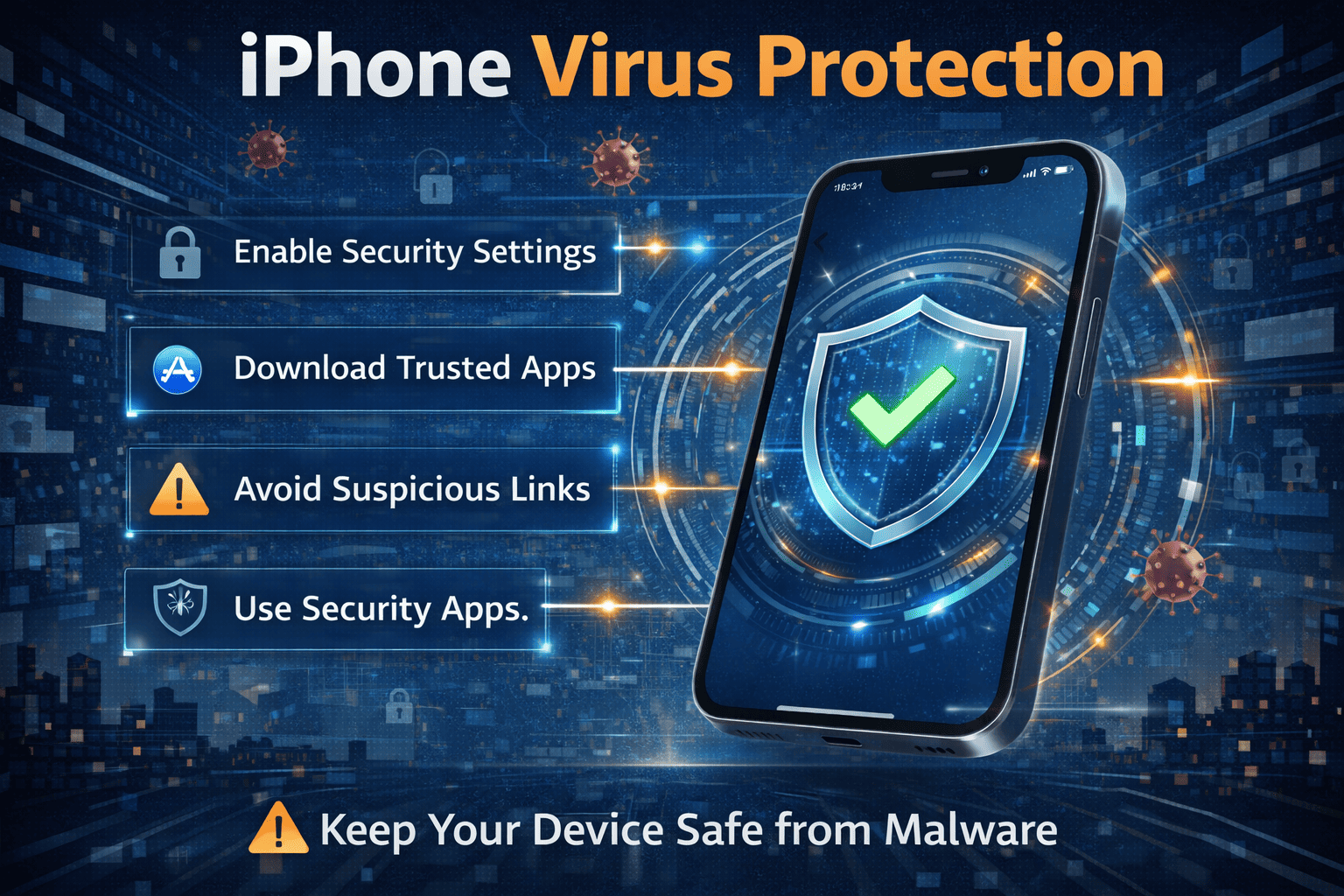
Millions of people rely on their iPhones every day for communication, banking, work, and entertainment. Because of this heavy usage, protecting your device from cyber threats is more important than ever. iPhone virus protection has become a major topic for individuals and businesses that depend on mobile security.
Many people believe that iPhones are immune to viruses. While Apple devices are known for strong security, they are not completely invulnerable. Cybercriminals constantly look for ways to exploit vulnerabilities, phishing tactics, and malicious apps.
Understanding iPhone virus protection can help you safeguard sensitive data, prevent unauthorized access, and maintain device performance. In this guide, we’ll explore how iPhone security works, common threats targeting iPhones, and the best practices to keep your device protected.
What Is iPhone Virus Protection?
iPhone virus protection refers to the security practices, tools, and built-in features designed to protect iPhones from malware, phishing attacks, and unauthorized access.
Unlike traditional computers, iPhones use a highly controlled ecosystem that limits how applications interact with the operating system. Apple’s security architecture includes multiple layers designed to prevent malicious software from infecting devices.
Core Components of iPhone Security
Apple protects iPhones through several built-in technologies:
App sandboxing
Secure boot processes
App Store review policies
Data encryption
Regular iOS security updates
These mechanisms form the foundation of modern iPhone virus protection.
Can iPhones Actually Get Viruses?
Technically, traditional viruses are rare on iPhones due to Apple’s strict security model. However, other threats can still affect iPhone users.
Common iPhone Security Threats
Instead of classic viruses, iPhone users may encounter:
Phishing attacks
Malicious websites
Fake apps
Spyware
Adware
Social engineering scams
While these threats may not behave like traditional viruses, they can still compromise user data or device functionality.
How Apple’s Security Architecture Protects iPhones
Apple has built its mobile operating system with strong security protections.
Secure Boot Chain
Every time an iPhone starts, the system verifies that only trusted software is running.
How Secure Boot Works
The secure boot process ensures:
Only Apple-signed operating systems can run
Malware cannot modify system files
Unauthorized software is blocked
This mechanism significantly strengthens iPhone virus protection.
App Sandboxing
Apple isolates each application from others using sandboxing.
Benefits of Sandboxing
Sandboxing prevents apps from accessing:
Data from other applications
Sensitive system resources
Unauthorized network functions
If a malicious app appears, sandboxing limits the damage it can cause.
App Store Security Review
Apple carefully reviews apps before allowing them on the App Store.
Security Checks Include
The review process evaluates:
App behavior
Malware detection
Privacy compliance
Data handling practices
This review process plays a major role in maintaining strong iPhone virus protection.
Common Threats Targeting iPhone Users
Even with strong security, attackers still attempt to target iPhone users.
Phishing Attacks
Phishing is one of the most common threats affecting mobile users.
Attackers send messages pretending to be legitimate organizations.
Examples of Phishing Messages
Phishing messages may appear as:
Apple ID security alerts
Banking notifications
Delivery updates
Account verification requests
These messages attempt to trick users into revealing personal information.
Malicious Websites
Some websites attempt to exploit vulnerabilities or display fake security alerts.
Warning Signs of Malicious Sites
Watch for:
Fake “virus detected” messages
Pop-ups asking for downloads
Suspicious redirect links
These tactics try to deceive users into installing malicious profiles.
Spyware and Surveillance Software
Advanced spyware can monitor device activity.
Examples of Spyware Capabilities
Spyware may:
Track location
Record calls
Access messages
Monitor browsing activity
While rare, these threats emphasize the need for strong iPhone virus protection.
Signs Your iPhone May Be Compromised
Although iPhones are secure, certain symptoms may indicate a security issue.
Warning Signs to Watch
Look for these signs:
Unexpected pop-ups or ads
Rapid battery drain
Unknown apps appearing
Increased data usage
Unusual device behavior
If you notice these symptoms, investigate your device security settings.
Best Practices for iPhone Virus Protection
Following basic cybersecurity practices can dramatically improve your device security.
Keep iOS Updated
Apple frequently releases security updates to address vulnerabilities.
Why Updates Matter
Updates help:
Fix security flaws
Improve device stability
Protect against emerging threats
Installing updates is one of the simplest ways to strengthen iPhone virus protection.
Enable Two-Factor Authentication
Two-factor authentication adds an extra layer of security to your Apple ID.
Benefits of 2FA
Two-factor authentication helps:
Prevent account hijacking
Block unauthorized login attempts
Protect personal data
Always enable this feature for stronger protection.
Install Apps Only from the App Store
Avoid downloading apps from unknown sources.
Why This Matters
Apps outside the App Store may contain:
Malware
Data harvesting tools
Hidden spyware
Apple’s App Store review process significantly reduces these risks.
Avoid Suspicious Links
Never click links from unknown messages or emails.
Common Scams to Avoid
Watch out for:
Fake Apple security alerts
Suspicious login requests
Fake subscription renewal notices
These scams often attempt to steal credentials.
Use Strong Passwords
Strong passwords are essential for mobile security.
Password Security Tips
Create passwords that include:
Uppercase letters
Lowercase letters
Numbers
Special characters
Avoid using easily guessed passwords.
Should You Install Antivirus on an iPhone?
Traditional antivirus apps function differently on iPhones than on computers.
Because Apple restricts system access, antivirus apps cannot scan iOS in the same way.
However, many security apps provide useful features such as:
Secure browsing protection
Identity monitoring
Wi-Fi security alerts
Phishing protection
These tools can complement built-in iPhone virus protection.
iPhone Security for Businesses and Organizations
Mobile security is especially important for organizations managing corporate devices.
Enterprise Security Measures
Companies often implement:
Mobile device management (MDM)
Endpoint security tools
Remote device monitoring
Secure VPN connections
These technologies help organizations protect sensitive business data.
The Role of Mobile Threat Defense
Mobile Threat Defense (MTD) solutions provide additional protection for smartphones.
Key MTD Features
These platforms offer:
Network threat detection
Phishing protection
Device integrity monitoring
Risk analysis
MTD tools strengthen iPhone virus protection in enterprise environments.
Future Trends in Mobile Security
Mobile threats continue evolving as smartphones become more powerful.
Emerging Mobile Security Technologies
New technologies include:
AI-driven threat detection
Behavioral security analytics
Zero Trust mobile access
Advanced phishing detection
These innovations will shape the future of mobile cybersecurity.
Frequently Asked Questions (FAQ)
1. Do iPhones really need virus protection?
While iPhones are highly secure, users should still follow best practices such as updates, strong passwords, and phishing awareness.
2. Can iPhones get malware?
Yes, although rare. Threats often come from phishing attacks or malicious websites rather than traditional viruses.
3. How can I check if my iPhone is infected?
Look for unusual behavior such as unknown apps, rapid battery drain, or suspicious pop-ups.
4. Is antivirus necessary for iPhones?
Traditional antivirus scanning is limited on iOS, but security apps can provide phishing protection and privacy monitoring.
5. What is the best way to protect an iPhone?
Keep the device updated, enable two-factor authentication, avoid suspicious links, and install apps only from trusted sources.
Final Thoughts: Strengthening Your iPhone Virus Protection
Mobile devices now store some of the most sensitive information we own—from financial data to personal communications. That’s why strong iPhone virus protection is essential for individuals and businesses alike.
Fortunately, Apple has built powerful security protections directly into iOS. By combining these built-in features with smart cybersecurity practices, users can significantly reduce their risk of mobile threats.
Staying informed, practicing safe browsing habits, and keeping devices updated remain the best strategies for protecting your digital life.
👉 Expand your cybersecurity knowledge today:
https://openedr.platform.xcitium.com/register/
Learn how modern security strategies help protect devices, networks, and data in today’s evolving cyber threat landscape.

 Loading...