Updated on November 14, 2025, by OpenEDR
Have you ever downloaded an app from the internet and wondered, “Is this really free?” If so, you’re not alone. In today’s digital world, freeware software is everywhere—from productivity tools to antivirus programs to communication apps. But what exactly makes something “freeware,” and is it actually safe to use?
In this guide, we’ll break down what freeware software is, how it works, why companies offer it for free, and the risks you need to know—especially from a cybersecurity perspective. Whether you’re an IT manager, business owner, or everyday tech user, understanding freeware is essential for keeping your systems safe.
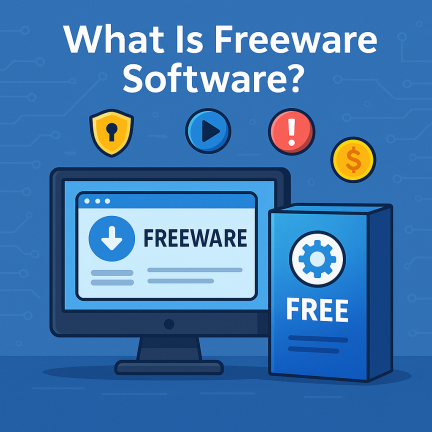
What Is Freeware Software?
Freeware software is any application that is available to users at no cost. You can download it, install it, and use it without paying a fee. However, while the software is free to use, the publisher keeps full ownership, and users usually cannot modify or resell the software.
Freeware software is designed to provide users with functionality without the associated cost, but that doesn’t mean it’s always without limitations.
What Are the Characteristics of Freeware Software?
Typical characteristics include:
- No required purchase price
- Usually copyrighted by its developer
- Often distributed under a proprietary license
- Source code is often unavailable
- Modification may be restricted
- Redistribution rights vary
- Commercial-use rights vary
- It may be usable indefinitely
- Support may be limited
- The developer determines the exact terms
The most important characteristic is that freeware is free of charge to use under its license.
It does not automatically mean the user has permission to modify or redistribute it.
How Freeware Is Different from Other Free Software Models
People often confuse freeware software with other “free” software categories. Here’s how they differ:
1. Freeware vs. Open-Source Software
Freeware — free to use but closed-source.
Open-source — free, and you can view/modify the source code.
2. Freeware vs. Shareware
Shareware — free trials with limitations (time-based or feature-based).
Freeware — fully free, with no trial period.
3. Freeware vs. Freemium Software
Freemium — free basic features, paid upgrades.
Freeware — fully free, typically no paid upgrades.
How Does Freeware Software Work?
Freeware works similarly to paid software from the user’s perspective.
The typical process is:
- A developer creates an application.
- The publisher decides to offer it without a required purchase price.
- Users download it from an approved source.
- Users accept its license terms.
- The software is installed and used without an upfront software purchase.
- The developer retains the applicable intellectual-property rights.
The publisher may continue developing and supporting the application even though users do not directly pay for the freeware edition.
Why Is Freeware Software Free? (What Companies Gain)
If companies don’t charge users, how do they profit? Surprisingly, several legitimate business models exist:
✔ 1. Advertising Revenue
Some freeware includes:
Banner ads
Pop-up ads
In-app promotions
✔ 2. Paid Upgrades
While the core app is free, companies may offer:
Premium features
Cloud storage
Security add-ons
✔ 3. Brand Awareness
Freeware acts as a gateway product—for example:
Adobe Acrobat Reader
Skype
Zoom (free tier)
✔ 4. Data Collection
Some freeware collects usage analytics to improve their services.
Freeware vs. Open-Source Software
Freeware and open-source software are not interchangeable.
| Feature | Freeware | Open-Source Software |
|---|---|---|
| Required purchase price | Usually none | May be free or commercially distributed |
| Source code | Often unavailable | Source code available |
| Modification | Usually restricted unless license permits | Permitted according to open-source license |
| Redistribution | Depends on license | Governed by open-source license |
| Copyright | Retained | Retained |
| Commercial use | Depends on license | Depends on applicable open-source license |
| Main concept | Price | Source-code and licensing rights |
The biggest distinction is that open source describes licensing permissions involving source code, while freeware primarily describes no-cost availability.
Examples of Popular Freeware Software
Here are well-known freeware applications used globally:
Productivity Tools
Adobe Acrobat Reader
Notepad++
Evernote Basic
Security Software
Avast Free Antivirus
Malwarebytes Free
Communication Tools
Skype
Zoom Basic
Multimedia
VLC Media Player
Spotify Free
These tools show that freeware software is used across industries and devices daily.
Types of Freeware Software
Freeware can appear across many software categories.
1. Productivity Freeware
Tools for tasks such as:
- Note-taking
- Document viewing
- File management
- Text editing
- Scheduling
2. Multimedia Freeware
Software may support:
- Media playback
- Image viewing
- Audio processing
- Video playback
- File conversion
3. Utility Freeware
Examples include tools for:
- File compression
- System information
- Disk management
- Backup
- Device monitoring
4. Communication Freeware
Some messaging, meeting, and communication tools provide no-cost versions.
5. Security Freeware
Security vendors may offer free tools for:
- Malware scanning
- Antivirus protection
- Password management
- Security diagnostics
- Network analysis
Always verify what protections and features are included in a free security edition.
Benefits of Using Freeware Software
1. Cost-Effective
You get functional tools without paying subscription fees or licensing costs.
2. Easy to Access
Most freeware software is simple to install and works across:
Windows
macOS
Linux
Mobile devices
3. Ideal for Trial Use
Businesses can test tools before investing in premium alternatives.
4. Great for Small Businesses & Startups
Freeware can reduce:
Operational costs
Hardware/software expenses
IT budgeting strain
But Is Freeware Software Safe? Understanding the Security Risks
Here’s where things get serious. Because freeware is free, it’s also a popular target for cybercriminals.
Advantages of Freeware Software
Freeware can provide several benefits.
1. No Required Software Purchase
Users can access useful applications without paying an initial software fee.
2. Easy to Evaluate
Because there is no purchase barrier, users can test whether an application meets their needs.
3. Useful for Students and Home Users
Freeware can make common software capabilities accessible to people with limited budgets.
4. Useful for Simple Tasks
Users may not need an expensive commercial suite for basic functions such as viewing documents or performing simple utility tasks.
5. Wide Availability
Many freeware applications can be downloaded directly from the publisher.
6. Potential Cost Savings
When licensing permits the intended use, freeware can reduce software expenditure.
Disadvantages of Freeware Software
No-cost software can also have limitations.
Limited Support
Some freeware comes with:
- Community-only assistance
- Documentation only
- Limited customer support
- No guaranteed response time
Licensing Restrictions
Free personal use does not necessarily mean free business use.
Limited Features
Some no-cost applications provide fewer capabilities than commercial alternatives.
Advertising
Certain applications may display advertisements.
Privacy Considerations
Some applications collect telemetry or usage information.
Update Uncertainty
Smaller or abandoned freeware projects may stop receiving security updates.
Business Management Challenges
Organizations may lack:
- Centralized administration
- Deployment controls
- Reporting
- Vendor support
- Service-level agreements
These issues should be considered before enterprise deployment.
Major Risks of Freeware Software
1. Malware & Hidden Threats
Cybercriminals often disguise malware as:
fake freeware downloads
cracked apps
“free” premium software
2. Spyware & Data Harvesting
Some freeware contains:
Tracking scripts
Adware
Browser hijackers
These may collect:
Browsing history
Personal details
IP address
Device identifiers
3. Lack of Security Updates
Developers of free tools may not:
update frequently
patch vulnerabilities
fix zero-day exploits
4. Rogue Software Installers
Some freeware bundles unwanted programs such as:
toolbars
trialware
system cleaners
How to Safely Use Freeware Software (Security Checklist)
When downloading freeware, use these best practices:
✔ Download Only from Official Sources
Avoid:
third-party hosting sites
torrents
unknown file-sharing servers
✔ Read Permissions
Avoid freeware that asks for unnecessary access to:
microphone
location
contacts
system files
✔ Check Reviews & Ratings
User feedback can help identify:
malware
suspicious behavior
poor performance
✔ Scan Downloads with Cybersecurity Tools
Use:
endpoint protection
malware scanners
DNS filtering
✔ Keep Software Updated
Updates include critical:
bug fixes
security enhancements
exploit patches
Freeware Software for Businesses: Should You Use It?
For personal use, freeware can be incredibly convenient. But for businesses, freeware software can introduce serious cybersecurity risks.
Concerns for IT Teams & Business Owners
Unknown vendor reliability
Lack of enterprise-grade support
Hidden vulnerabilities
Data privacy issues
No compliance certifications (ISO, SOC2, etc.)
Safer Alternatives for Businesses
Instead of freeware, companies often choose:
Paid enterprise tools
Open-source software
Zero Trust cybersecurity solutions
Cloud-managed platforms
This reduces exposure to malware and ransomware.
Freeware Alternatives: What to Use Instead
If freeware isn’t safe enough, consider:
1. Open-Source Tools
Great transparency and community support.
2. Free-to-Use Cloud Apps
Often more secure, better maintained.
3. Free Enterprise Trials
Provide full functionality for a limited period.
How Cybersecurity Solutions Help Protect You from Unsafe Freeware
Modern security platforms such as Zero Trust, EDR, and ransomware containment tools block threats from:
infected freeware
drive-by downloads
malicious installers
phishing sites
embedded malware
If a suspicious freeware program attempts to run:
It gets isolated
Threats cannot spread
Data remains protected
This is essential for businesses and remote teams.
Final Thoughts: Should You Use Freeware Software?
Freeware software can be useful, accessible, and cost-saving—but only when used carefully. For casual or personal use, it’s often convenient. But for businesses handling sensitive data, freeware can pose serious cybersecurity risks.
If you choose to use freeware:
Always verify the source
Scan installers
Monitor behavior
Avoid freeware with aggressive ads or permissions
When in doubt, choose safer paid or open-source alternatives.
Ready to secure your devices and protect your organization from malware hidden in unsafe freeware?
👉 Try industry-leading threat protection today:
https://openedr.platform.xcitium.com/register/
FAQs About Freeware Software
1. Is freeware software always safe to use?
Not always. Some freeware contains malware, adware, spyware, or risky code. Always download from trusted sources.
2. Can freeware be used commercially?
Some freeware allows commercial use, but many restrict it. Always read the license agreement.
3. What is the difference between freeware and open-source software?
Freeware is free but closed-source. Open-source is free and allows code modification.
4. Why do developers offer software for free?
Reasons include advertising revenue, brand awareness, data analytics, or promoting premium products.
5. Can freeware slow down your computer?
Yes. Some freeware installs unwanted add-ons or background processes that reduce performance.

 Loading...