
Updated on April 30, 2026, by OpenEDR
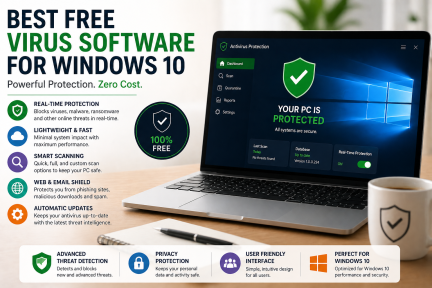
Are you searching for the best free virus software Windows 10 users can rely on to protect their systems? With cyber threats increasing every day, choosing the right antivirus solution is no longer optional—it’s essential. Whether you’re an IT manager, business owner, or everyday user, having reliable protection can prevent costly data breaches and downtime.
In this guide, we’ll explore the top free antivirus tools for Windows 10, how they work, and how to choose the right one for your needs.
Why You Need Free Virus Software for Windows 10
Windows 10 comes with built-in protection, but it may not be enough against advanced threats like ransomware, phishing, and zero-day attacks.
Here’s why installing free virus software Windows 10 solutions is important:
- Protects against malware, spyware, and ransomware
- Blocks phishing and malicious websites
- Prevents unauthorized access to sensitive data
- Enhances overall system performance and security
For businesses, even a single attack can result in financial loss and reputational damage.
How Free Antivirus Software Works
Understanding how free virus software Windows 10 operates helps you make better decisions.
Most antivirus tools use:
1. Signature-Based Detection
Matches files against a database of known threats
2. Behavior-Based Detection
Identifies suspicious activity in real-time
3. Cloud-Based Intelligence
Uses global threat data to detect new malware
4. Real-Time Protection
Continuously scans files and applications
Modern tools combine these methods to deliver stronger protection.
Best Free Virus Software Windows 10 (Top Picks)
Here are some of the most reliable free virus software Windows 10 options available today:
1. Microsoft Defender Antivirus
- Built into Windows 10
- Real-time protection
- Automatic updates
- Good baseline security
Best for users who want default, no-cost protection
2. Avast Free Antivirus
- Strong malware detection
- Wi-Fi security scanning
- Password protection features
Popular choice for home users
3. AVG AntiVirus Free
- Email and download protection
- Real-time security updates
- Simple interface
Ideal for beginners
4. Avira Free Security
- Includes VPN (limited)
- System optimization tools
- Strong malware detection
Great for privacy-focused users
5. Bitdefender Antivirus Free
- Lightweight and fast
- Excellent threat detection
- Minimal user interaction required
Best for performance-focused systems
Free vs Paid Antivirus: What’s the Difference?
While free virus software Windows 10 options are useful, they have limitations.
| Feature | Free Antivirus | Paid Antivirus |
|---|---|---|
| Basic Protection | ✅ Yes | ✅ Yes |
| Ransomware Protection | ⚠️ Limited | ✅ Advanced |
| Customer Support | ❌ No | ✅ Yes |
| Advanced Security Tools | ❌ No | ✅ Yes |
Free tools are good for basic use, but businesses need advanced protection layers.
Limitations of Free Virus Software
Before relying solely on free virus software Windows 10, consider these drawbacks:
- Limited protection against advanced threats
- No dedicated support
- Fewer features (firewall, endpoint control)
- May not stop zero-day attacks
This is why enterprises often adopt endpoint detection and response (EDR) solutions.
Key Features to Look For
When choosing free virus software Windows 10, prioritize:
- Real-time threat detection
- Automatic updates
- Low system impact
- Ransomware protection
- Ease of use
Best Practices to Stay Protected
Even with free virus software Windows 10, security depends on user behavior.
Follow these tips:
- Keep Windows and apps updated
- Avoid suspicious downloads
- Use strong passwords and MFA
- Regularly back up data
- Train employees on phishing awareness
Security is a combination of tools + awareness
Why Businesses Need More Than Free Antivirus
For organizations, relying only on free virus software Windows 10 is risky.
Modern cyberattacks:
- Target endpoints
- Bypass traditional antivirus
- Spread quickly across networks
Businesses should consider:
- Endpoint Detection & Response (EDR)
- Zero Trust architecture
- Advanced threat containment
This ensures proactive defense instead of reactive protection
Upgrade Your Security with Xcitium
If you need enterprise-grade protection beyond free virus software Windows 10, consider advanced solutions like Xcitium OpenEDR.
It offers:
- Real-time threat detection
- Zero-trust security model
- Automatic threat containment
- Enterprise-level protection
Start protecting your systems today:
🔗 https://openedr.platform.xcitium.com/register/
Frequently Asked Questions (FAQs)
1. Is free virus software enough for Windows 10?
Free antivirus provides basic protection, but it may not defend against advanced threats like ransomware or zero-day attacks.
2. What is the best free antivirus for Windows 10?
Microsoft Defender, Avast, and Bitdefender are among the best free options available.
3. Can free antivirus remove viruses?
Yes, most free antivirus tools can detect and remove common malware, but advanced threats may require premium solutions.
4. Do I need antivirus if I have Windows Defender?
Windows Defender offers baseline protection, but additional tools can enhance security.
5. What is the safest antivirus option?
For maximum protection, combining antivirus with EDR and zero-trust security is the safest approach.
Final Thoughts
Choosing the right free virus software Windows 10 solution is a great first step toward protecting your system. However, as cyber threats evolve, relying solely on free tools may not be enough—especially for businesses.
For complete protection, consider upgrading to advanced security solutions that offer real-time detection, threat containment, and proactive defense.
Take control of your cybersecurity today:
🔗 https://openedr.platform.xcitium.com/register/


 Loading...