Updated on November 12, 2025, by OpenEDR
Did you know that over 60% of organizations have suffered a data breach in the last two years?
With the explosion of digital communication, cloud computing, and remote work, sensitive information is more vulnerable than ever.
That’s where Data Loss Prevention (DLP) software steps in.
It’s not just another cybersecurity tool—it’s a strategic safeguard designed to prevent unauthorized data exposure, accidental leaks, and insider threats.
Whether you’re managing a small IT department or leading a global enterprise, understanding and implementing the right data loss prevention software is essential for regulatory compliance, data integrity, and customer trust.
What Is Data Loss Prevention Software?
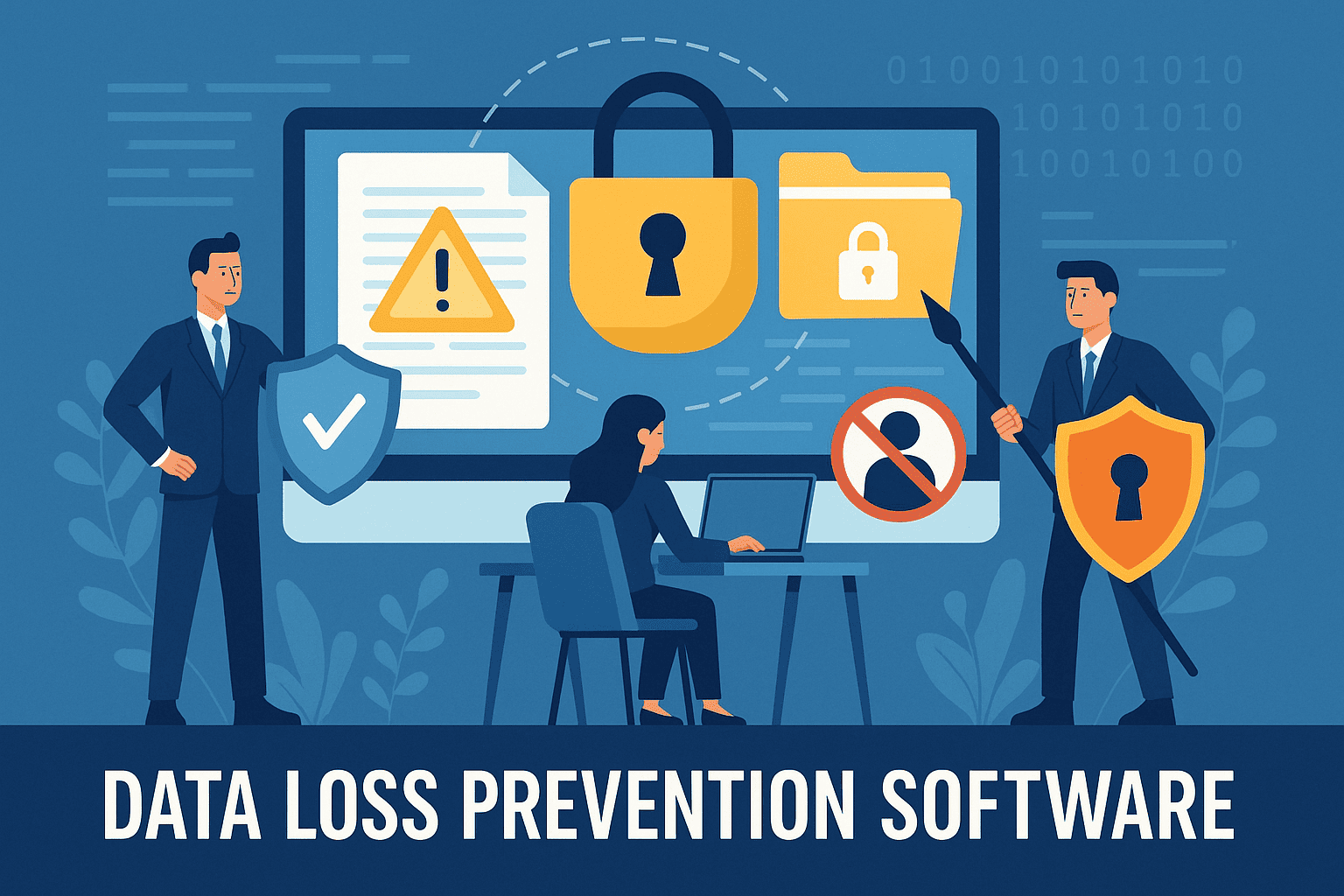
Data Loss Prevention (DLP) software refers to a suite of tools and technologies that detect, monitor, and protect sensitive data across an organization’s digital ecosystem.
The goal of DLP software is simple: to stop confidential information from leaving your network—whether accidentally or maliciously.
It achieves this through:
Content inspection: Scanning files, messages, and attachments for sensitive data.
Policy enforcement: Blocking or encrypting data transfers based on compliance rules.
Real-time monitoring: Tracking who accesses or modifies sensitive files.
In short, DLP software acts as the digital gatekeeper of your organization’s most valuable asset—its information.
How Does Data Loss Prevention Software Work?
DLP software uses a combination of data identification, contextual analysis, and behavioral monitoring to enforce security policies.
Here’s how it works step-by-step:
Data Discovery and Classification
Scans storage locations (servers, endpoints, cloud systems) to identify sensitive data like financial records, customer information, or intellectual property.
Tags and classifies data based on its level of sensitivity.
Policy Definition
Administrators define rules—such as “Don’t email financial data outside the company” or “Encrypt all confidential files shared via cloud.”
Monitoring and Detection
The software continuously monitors data in three states:
Data in motion: Transmitted via email, USB, or networks.
Data at rest: Stored on servers, databases, or devices.
Data in use: Accessed or modified by employees or apps.
Enforcement and Reporting
If a policy violation occurs, DLP software can block, quarantine, or encrypt the data, while generating detailed audit reports for administrators.
Key Features of Data Loss Prevention Software
When evaluating DLP solutions, look for these essential features:
1. Centralized Management Console
Allows administrators to manage policies, alerts, and user permissions across endpoints, networks, and cloud services from a single dashboard.
2. Data Classification Engine
Automatically categorizes sensitive data using keywords, patterns (like credit card numbers), or machine learning.
3. Endpoint Protection
Monitors and controls data transfer from devices (like laptops or USB drives).
4. Cloud Security Integration
Ensures compliance and protection across SaaS applications (Google Workspace, Microsoft 365, Salesforce).
5. Encryption and Masking
Applies automatic encryption or data masking for sensitive files leaving the system.
6. Real-Time Alerts and Reporting
Provides visibility into security incidents, helping teams respond immediately to suspicious activity.
Why Data Loss Prevention Software Is Critical for Businesses
In today’s regulatory landscape, data security isn’t optional—it’s mandatory.
Here’s why DLP software has become a cornerstone of modern cybersecurity:
1. Prevents Insider Threats
Many data breaches are caused not by hackers but by employees—either intentionally or accidentally.
DLP tools detect and stop abnormal behaviors, like mass file downloads or data transfers to personal emails.
2. Ensures Compliance
Regulations like GDPR, HIPAA, PCI DSS, and CCPA demand strict data protection measures.
DLP software helps organizations remain compliant by enforcing encryption, access control, and audit trails.
3. Protects Intellectual Property (IP)
From source code to business strategies, proprietary data is often the target of corporate espionage.
DLP solutions safeguard this information against theft or exfiltration.
4. Secures Remote and Cloud Workflows
As organizations migrate to hybrid work models, DLP tools protect data flowing between cloud applications, VPNs, and personal devices.
5. Builds Customer Trust
Demonstrating robust data protection increases brand credibility and strengthens customer relationships.
Types of Data Loss Prevention Solutions
Different DLP solutions cater to specific aspects of an organization’s data security architecture:
1. Endpoint DLP
Protects data on user devices (desktops, laptops, mobile phones).
Ideal for companies with remote or hybrid employees.
2. Network DLP
Monitors and secures data as it moves across the corporate network.
Prevents leaks via email, instant messaging, or cloud uploads.
3. Cloud DLP
Focuses on securing data within SaaS and cloud storage platforms.
Crucial for enterprises using services like AWS, Google Cloud, or Microsoft Azure.
4. Enterprise DLP (Integrated)
A full-scale solution combining network, endpoint, and cloud protection with centralized management.
Top Benefits of Implementing Data Loss Prevention Software
Implementing a robust DLP solution delivers multiple long-term advantages:
Reduces risk of data breaches and financial losses.
Improves compliance readiness through automated policy enforcement.
Provides real-time visibility into user activity and data flow.
Enables Zero Trust Security by verifying and controlling every interaction.
Enhances data governance with detailed reporting and audit trails.
Data Loss Prevention in Cybersecurity Frameworks
Integration with SIEM and EDR
Modern DLP systems integrate with Security Information and Event Management (SIEM) and Endpoint Detection and Response (EDR) tools like OpenEDR by Xcitium for complete threat visibility.
SIEM integration: Centralizes logs and security events for analysis.
EDR integration: Correlates data exfiltration with endpoint behavior.
Together, they enable a proactive cybersecurity posture that can detect and stop potential data theft before it escalates.
Best Practices for Deploying DLP Software
Implementing DLP effectively requires strategy and planning. Follow these best practices:
Identify Sensitive Data
Map out where confidential data resides and classify it by risk level.Start with Policy Templates
Use built-in templates for GDPR, HIPAA, or PCI DSS compliance.Educate Employees
Train staff on data handling procedures and the importance of compliance.Monitor and Adjust
Continuously refine policies to adapt to new data patterns and threats.Integrate with Existing Security Stack
Connect your DLP with firewalls, EDR, and SIEM for a unified defense.
Challenges in Data Loss Prevention
Despite its advantages, DLP deployment can face challenges:
High initial costs for enterprise-grade systems.
Complex setup requiring integration with existing IT infrastructure.
False positives that may block legitimate business operations.
Continuous maintenance to keep up with evolving data sources.
Overcoming these hurdles requires careful vendor selection, internal training, and continuous policy optimization.
How Xcitium’s OpenEDR Enhances Data Loss Prevention
Xcitium OpenEDR provides advanced endpoint visibility and behavioral analytics that complement traditional DLP solutions.
By combining DLP policies with OpenEDR’s AI-driven threat detection, organizations can:
Identify data leaks in real time.
Detect insider threats before exfiltration occurs.
Automate response actions to minimize downtime.
This synergy delivers multi-layered security that aligns perfectly with Zero Trust and data-centric protection models.
Conclusion: DLP Software—Your First Line of Defense Against Data Breaches
In a world where data is the new currency, safeguarding it is a business imperative.
Data Loss Prevention software provides visibility, control, and enforcement—helping organizations prevent breaches, protect intellectual property, and maintain compliance.
Whether you’re an IT administrator or a CEO, investing in a strong DLP strategy is investing in your company’s trust, security, and future.
Take the next step toward total data protection.
👉 Register for Xcitium OpenEDR to integrate AI-driven endpoint protection with advanced data loss prevention capabilities.
FAQs About Data Loss Prevention Software
1. What is the main purpose of DLP software?
To prevent sensitive data from being leaked, stolen, or misused within or outside an organization.
2. How does DLP differ from traditional antivirus?
Antivirus detects malware, while DLP focuses on monitoring and controlling data movement to prevent leaks.
3. Is DLP software suitable for small businesses?
Yes, cloud-based DLP solutions are affordable and scalable, making them accessible to SMBs.
4. Can DLP work with encrypted files?
Yes, advanced DLP tools can analyze metadata or integrate with encryption systems to enforce protection.
5. How does DLP help with compliance?
DLP ensures adherence to GDPR, HIPAA, PCI DSS, and other regulations by enforcing data handling and reporting standards.

 Loading...