Updated on November 18, 2025, by OpenEDR
Have you ever wondered why some businesses move to the cloud seamlessly while others face delays, downtime, ballooning costs, or security threats? You’re not alone. As companies modernize their infrastructure, choosing the right cloud migration solutions becomes a mission-critical decision. And with more than 94% of enterprises already using cloud services, migration is no longer optional—it’s essential.
In this friendly, easy-to-understand guide, we’ll walk through the smartest cloud migration solutions, tools, strategies, and best practices that IT managers, cybersecurity teams, and business leaders can use to modernize operations securely and efficiently. Whether you’re migrating a single workload or transforming an entire enterprise architecture, this guide explains everything you need to know in conversational, business-friendly language.
What Is Cloud Migration?
Cloud migration refers to the process of moving:
Data
Applications
Workloads
IT resources
Digital assets
…from on-premises environments to the cloud—or even between cloud platforms.
Businesses typically migrate to:
Reduce infrastructure costs
Improve agility
Strengthen security
Scale operations
Enable remote work
Modernize legacy systems
However, cloud adoption comes with challenges, which is why having the right cloud migration solutions is absolutely essential.
⭐ Why Your Business Needs Cloud Migration Solutions
Cloud migration isn’t just a tech upgrade—it’s a business transformation. When implemented correctly, it leads to:
✔ Lower Infrastructure Costs
No more server rooms, hardware upgrades, or cooling systems.
✔ Stronger Cybersecurity
Cloud platforms offer encryption, IAM, compliance, and zero-trust options.
✔ Greater Flexibility & Mobility
Remote teams can access systems anytime, anywhere.
✔ Enhanced Performance
Cloud apps typically run faster with auto-scaling technologies.
✔ Business Continuity
Built-in backups, redundancy, and disaster recovery protect operations.
So let’s explore the most effective cloud migration solutions—from planning to execution.
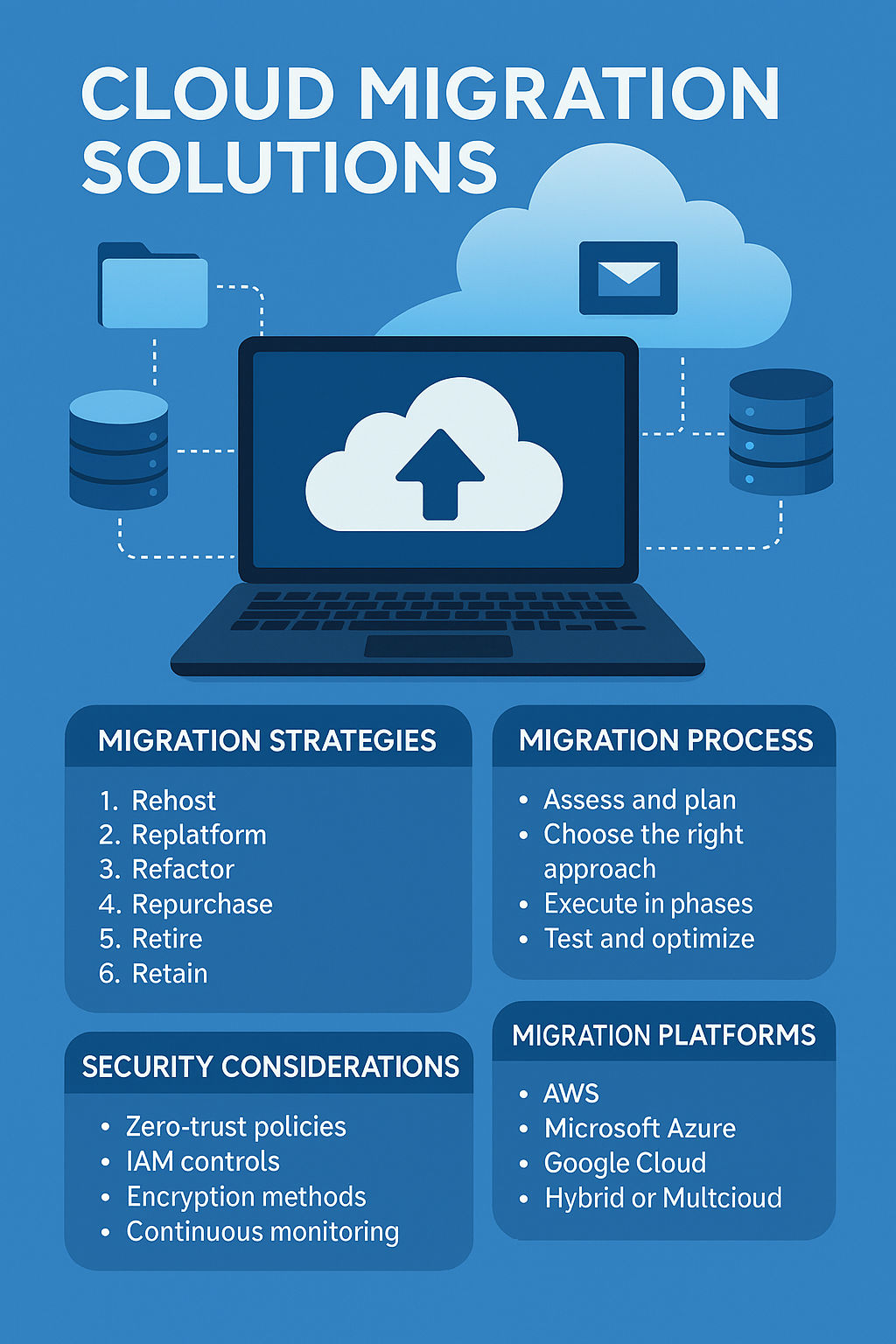
🏗️ Types of Cloud Migration Solutions (The 6 Rs)
The industry recognizes six primary cloud migration strategies, known as the “6 Rs.” Understanding them helps you pick the right path.
1. Rehosting (Lift & Shift)
Move apps to the cloud with minimal changes.
✔ Fastest
✔ Least expensive upfront
❗ Not optimized for long-term cloud efficiency
2. Replatforming (Lift, Tinker & Shift)
Add cloud optimizations without fully redesigning.
✔ Balance between speed and performance
3. Refactoring (Re-architecting)
Completely redesign apps for long-term scalability.
✔ Ideal for microservices, Kubernetes, SaaS environments
4. Repurchasing (Drop & Shop)
Move from legacy systems to SaaS products like Salesforce, Office 365, etc.
✔ Eliminates maintenance cost
5. Retiring
Remove outdated or unused workloads.
✔ Reduces complexity and cost
6. Retaining
Some systems may stay on-premise for compliance or performance reasons.
✔ Hybrid cloud environments benefit from this
These strategies help build a clearer, more efficient migration path.
🧭 Step-by-Step Cloud Migration Roadmap for Businesses
Now let’s break down how IT teams actually execute a migration using modern cloud migration solutions.
Step 1: Assess Your Existing Environment
Key areas to evaluate:
Application compatibility
Hardware requirements
Security posture
Licensing issues
Network readiness
Data volume and structure
A cloud readiness assessment helps identify hidden risks and misconfigurations.
Step 2: Choose Between Public, Private, Hybrid, or Multi-Cloud
Public Cloud (AWS, Azure, Google Cloud)
✔ Lower cost
✔ High scalability
Private Cloud
✔ Enhanced security
✔ Ideal for regulated industries
Hybrid Cloud
✔ Combines flexibility with compliance
Multi-Cloud
✔ Avoid vendor lock-in
✔ Optimize workloads across platforms
Your choice depends on workload, budget, compliance needs, and long-term IT strategy.
Step 3: Select Cloud Migration Tools & Platforms
Here are popular tools enterprises use:
Cloud Migration Tools
AWS Migration Hub
Azure Migrate
Google Cloud Migrate
Carbonite Migrate
CloudEndure
VMware HCX
Security Tools
Xcitium OpenEDR
CSPM (Cloud Security Posture Management)
SIEM Solutions
Zero-Trust IAM
These tools help automate migration, minimize downtime, and fix misconfigurations.
Step 4: Plan a Data Migration Strategy
Your data migration approach may include:
✔ Batch Transfers
Move data in bulk during low-usage hours.
✔ Continuous Replication
Useful for zero-downtime environments.
✔ Hybrid Sync Migration
Migrates data in phases for enterprise workloads.
Step 5: Execute Migration in Phases (Best Practice)
IT teams usually migrate:
Non-critical apps first
Core systems second
High-security workloads last
This ensures reliability and reduces risk.
Step 6: Test, Optimize & Validate
After migration:
Validate data integrity
Test application performance
Run security audits
Optimize infrastructure costs
Ensure access controls work
This is where strong cloud migration solutions make the biggest difference.
🔐 Security Considerations During Cloud Migration
Security cannot be an afterthought.
Here are essential risk controls:
1. Zero-Trust Architecture
Trust nothing, verify everything.
2. Identity & Access Management (IAM)
Use MFA, RBAC, conditional access, and strong password policies.
3. Encryption (In Transit & At Rest)
Protects data during migration and storage.
4. Cloud Security Monitoring
Use XDR, SIEM, or OpenEDR to detect threats early.
5. CSPM Scanning
Prevents misconfigurations—the #1 cause of cloud breaches.
These measures secure both your migration process and long-term operations.
🚀 Top Cloud Migration Solutions & Platforms (2025 Edition)
Below are the top enterprise migration offerings:
⭐ 1. AWS Cloud Migration Solution Suite
Includes:
Database Migration Service (DMS)
Server Migration Service (SMS)
CloudEndure
Migration Hub
AWS is excellent for large workloads and enterprise-scale migration.
⭐ 2. Microsoft Azure Migration Solutions
Includes:
Azure Migrate
Azure Site Recovery
Azure Database Migration
Perfect for Windows-heavy environments.
⭐ 3. Google Cloud Migration Tools
Includes:
Migrate for Compute Engine
BigQuery Data Transfer
GKE for containerized workloads
Ideal for AI/ML-driven businesses.
⭐ 4. Hybrid & Multi-Cloud Platforms
VMware HCX
Nutanix Move
Red Hat OpenShift
Great for businesses requiring flexible deployment.
💡 Best Practices for Successful Cloud Migration
To ensure your project succeeds, follow these pro tips:
⭐ Prioritize Security First
Use EDR, MFA, encryption, and zero-trust frameworks.
⭐ Migrate in Phases
Avoid risky “big bang” migrations.
⭐ Perform Cost Modeling
Avoid unexpected cloud bills.
⭐ Automate Everything Possible
Backups, scaling, monitoring, patching.
⭐ Train Your IT Teams
Cloud skills are essential for long-term success.
🔄 Cost Optimization After Migration
Cloud pricing can get complicated quickly.
Use:
Auto-scaling
Reserved instances
Cloud cost calculators
Rightsizing tools
Turning off idle resources
This helps maximize cost efficiency.
🎯 Conclusion: Cloud Migration Solutions Are the Future — Start Your Journey Smartly
Cloud migration isn’t just about moving data—it’s about transforming your business. The right cloud migration solutions help reduce IT costs, strengthen security, improve performance, and accelerate innovation.
But migration can introduce risks, especially if endpoints aren’t monitored.
That’s where strong security comes in 👇
🔐 Ready to Protect Every Endpoint During and After Cloud Migration?
Sign up for Xcitium OpenEDR — free enterprise-grade threat detection:
👉 https://openedr.platform.xcitium.com/register/
❓ FAQs on Cloud Migration Solutions
1. What is the best cloud migration solution for enterprises?
AWS, Azure, and Google Cloud all offer excellent tools—but hybrid solutions like VMware HCX are best for complex environments.
2. How long does cloud migration take?
Anywhere from a few weeks to several months, depending on workload size and complexity.
3. Is cloud migration secure?
Yes—if you implement encryption, IAM, MFA, EDR, and CSPM tools during the process.
4. What data should not be moved to the cloud?
Highly regulated data may need hybrid or private cloud storage based on compliance.
5. What is the biggest challenge in cloud migration?
Misconfigurations and security gaps—these cause most cloud breaches.

 Loading...