Updated on September 8, 2026, by OpenEDR
Best Virus Protection for Android: What to Look for in 2026
The best virus protection for Android should do more than scan downloaded files. Strong Android security combines real-time malware detection with phishing protection, malicious website blocking, app scanning, privacy monitoring, and protection against emerging mobile threats.
The right solution depends on how you use your Android device. Some users need lightweight malware protection, while businesses may require centralized management, endpoint visibility, threat detection, and response capabilities.
What Is the Best Virus Protection for Android?
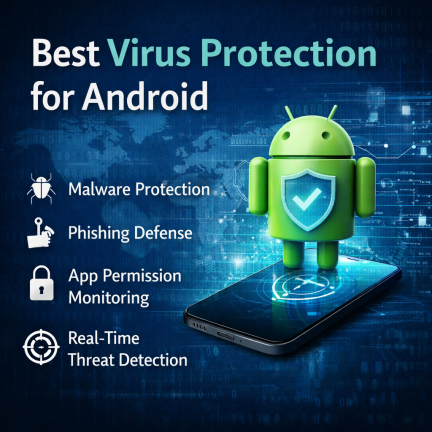
The best virus protection for Android combines real-time malware detection, automatic app scanning, anti-phishing protection, malicious website blocking, low performance impact, and privacy controls. Look for independently tested security software that receives frequent threat-intelligence updates and protects against Trojans, spyware, ransomware, malicious apps, phishing, and other Android threats.
Is your Android device truly secure—or just appearing to be? With Android powering over 70% of the world’s smartphones, it has become a prime target for cybercriminals. From malware-infected apps to phishing attacks and spyware, mobile threats are evolving faster than ever. That’s why choosing the best virus protection for Android is no longer optional—it’s essential.
Virus Protection Software for Android
Whether you’re an IT manager safeguarding company devices, a CEO protecting sensitive business data, or a cybersecurity professional advising clients, this guide will help you make an informed decision. We’ll break down threats, features, best practices, and what truly defines strong Android virus protection today.
Best Android Antivirus Features to Compare
1. Real-Time Malware Protection
Real-time protection monitors applications and files for malicious activity rather than waiting for the user to start a manual scan.
Look for protection against:
- Trojans
- Spyware
- Ransomware
- Malicious APK files
- Adware
- Potentially unwanted applications
- Credential-stealing malware
- Banking malware
Real-time detection is particularly important if applications are installed from sources outside the Google Play Store.
2. Automatic App Scanning
A strong Android security solution should analyze applications when they are installed or updated.
App scanning can identify:
- Known malicious applications
- Suspicious APK packages
- Risky application behavior
- Potentially unwanted applications
- Apps associated with known threats
Users who sideload Android applications should pay particular attention to this capability.
3. Anti-Phishing Protection
Android threats do not come only from infected applications.
Attackers increasingly use:
- Fake login pages
- Malicious SMS messages
- QR-code scams
- Social-media messages
- Fraudulent advertisements
- Fake delivery notifications
- Email phishing
- Messaging-app scams
For this reason, the best virus protection for Android should include web and phishing protection in addition to malware scanning.
4. Malicious Website Blocking
Web protection can prevent users from reaching known phishing, malware, and fraudulent websites.
This is particularly useful because mobile users may have difficulty inspecting complete URLs on small screens before opening them.
5. Privacy Protection
Android applications may request access to sensitive information such as:
- Camera
- Microphone
- Contacts
- Location
- Photos
- Files
- SMS
- Call information
Security software with privacy-monitoring features can make it easier to identify applications with potentially excessive permissions.
6. Low Performance Impact
Mobile security should not significantly affect everyday device performance.
When evaluating Android antivirus software, consider its impact on:
- Battery life
- CPU usage
- Memory
- Application startup
- Web browsing
- Background activity
Independent testing is useful because a security application can provide strong detection while still maintaining good device performance
Android Antivirus Comparison Checklist
| Feature | Why It Matters | Priority |
|---|---|---|
| Real-time malware detection | Stops malicious apps and files | Essential |
| App scanning | Checks installed and new apps | Essential |
| Phishing protection | Blocks credential-stealing sites | Essential |
| Safe browsing | Warns about malicious URLs | High |
| Automatic updates | Protects against newly identified threats | Essential |
| Low battery impact | Maintains mobile performance | High |
| Privacy monitoring | Identifies risky permissions | High |
| Wi-Fi security | Identifies potentially unsafe connections | Useful |
| Breach monitoring | Warns about exposed account information | Useful |
| VPN | Adds network privacy | Optional |
| Parental controls | Helps manage children’s devices | Optional |
| Central management | Important for enterprise Android fleets | Business essential |
Why Android Devices Are a Prime Target for Cyberattacks
Android’s open ecosystem is both its greatest strength and biggest weakness. Unlike closed platforms, Android allows flexibility—but that flexibility can be exploited.
Here’s why attackers love Android:
Sideloading apps from unofficial sources increases malware risk
Delayed OS updates on many devices leave vulnerabilities exposed
Permission abuse allows malicious apps to spy or steal data
Public Wi-Fi usage opens doors to man-in-the-middle attacks
For businesses, one compromised Android phone can lead to credential theft, data leaks, or even full network intrusion. This is why selecting the best virus protection for Android is critical for both personal and enterprise security.
Free vs. Paid Virus Protection for Android
Free Android Antivirus
Free security applications may provide:
- Malware scanning
- App scanning
- Basic real-time protection
- Limited web protection
They can be suitable for users primarily interested in basic malware detection.
Paid Android Security
Premium products may add:
- Advanced anti-phishing
- Web protection
- Identity monitoring
- VPN access
- Privacy tools
- Scam detection
- Account breach alerts
- Cross-device protection
- Enhanced support
Which should you choose?
Choose free Android virus protection if you primarily want basic malware scanning and app protection.
Consider paid Android security if you need broader protection against phishing, identity theft, malicious websites, privacy risks, or threats across multiple devices.
What Defines the Best Virus Protection for Android?
Not all antivirus apps are created equal. Some focus only on malware scanning, while others provide full mobile threat defense. The best solutions combine prevention, detection, and response.
Core Features You Should Expect
1. Real-Time Malware Protection
The best virus protection for Android continuously monitors apps, downloads, and system behavior. Real-time scanning ensures threats are blocked before they execute.
2. Advanced Threat Detection
Modern Android malware often hides behind legitimate-looking apps. Look for solutions that use:
Behavioral analysis
Cloud-based threat intelligence
AI-driven detection engines
3. Phishing & Web Protection
Cybercriminals increasingly use fake websites and SMS links. Strong Android antivirus software should:
Block malicious URLs
Warn users of phishing attempts
Protect against credential theft
4. App Permission Monitoring
Some apps request excessive permissions. The best tools alert users when apps access sensitive data like:
Contacts
Microphone
Camera
Location
5. Low Performance Impact
Security should not slow down your device. Lightweight scanning and optimized background processes are essential.
Best Virus Protection for Android: Key Capabilities Compared
When evaluating Android security solutions, decision-makers should focus on risk reduction, not just features.
Essential Capabilities Checklist
✅ Malware, ransomware, and spyware protection
✅ Zero-day threat detection
✅ Secure browsing and anti-phishing
✅ App reputation analysis
✅ Privacy protection and data control
✅ Centralized management (for businesses)
Enterprise-grade platforms go even further by offering visibility across multiple devices—an increasingly important factor for BYOD environments.
Does Android Really Need Antivirus?
Android has several built-in security mechanisms, including application sandboxing, permissions, security updates, and Google Play Protect.
However, Android devices can still face:
- Malicious applications
- Phishing
- Spyware
- Banking Trojans
- Credential theft
- Fraudulent websites
- Malicious APK files
- Social-engineering attacks
Antivirus therefore adds another security layer, particularly for higher-risk users or devices that store sensitive personal or business information.
Good security habits remain necessary even when antivirus software is installed.
Why Free Antivirus Apps Are Not Enough
Many users rely on free antivirus apps, assuming basic protection is sufficient. Unfortunately, free tools often fall short.
Limitations of Free Android Antivirus Solutions
Limited or no real-time protection
No advanced threat detection
Ads and data tracking concerns
Minimal phishing or web protection
Lack of business-grade controls
For IT managers and executives, these gaps create unacceptable risk. Investing in the best virus protection for Android means gaining peace of mind and long-term cost savings by preventing breaches.
Android Security Threats You Should Be Concerned About
Understanding the threat landscape helps you choose the right protection.
Common Android Threats in 2026
Malware & Trojans
Disguised as legitimate apps, these can steal data or install backdoors.
Ransomware
Locks devices or encrypts files until a ransom is paid—especially damaging for businesses.
Spyware & Stalkerware
Silently monitors messages, calls, and locations.
Banking Malware
Targets financial apps to steal credentials and bypass authentication.
Phishing Attacks
Delivered through SMS, email, or fake apps, phishing remains one of the top mobile threats.
The best virus protection for Android actively detects and neutralizes these threats before damage occurs.
Best Practices to Maximize Android Virus Protection
Even the strongest security software performs best when paired with smart user behavior.
Actionable Android Security Tips
Install apps only from trusted sources
Review app permissions regularly
Keep Android OS and apps updated
Avoid public Wi-Fi without protection
Enable device encryption and screen locks
Security is a layered approach. Antivirus software acts as your frontline defense.
Android Security for Businesses and Enterprises
For organizations, Android security goes beyond individual devices.
Why Businesses Need Advanced Android Protection
Protects sensitive corporate data
Prevents credential theft and lateral attacks
Supports compliance and governance
Enables visibility across endpoints
The best virus protection software for Android should integrate seamlessly into a broader endpoint security strategy—especially for hybrid and remote workforces.
How the Best Virus Protection for Android Supports Zero Trust
Modern cybersecurity frameworks adopt a Zero Trust approach—never trust, always verify.
Android virus protection supports Zero Trust by:
Continuously validating device integrity
Detecting anomalous behavior
Blocking untrusted applications
Reducing attack surfaces
This makes Android antivirus software a key pillar in enterprise security architecture.
Choosing the Right Android Antivirus Software: Final Decision Checklist
Before selecting a solution, ask these questions:
Does it provide real-time protection?
Can it detect zero-day threats?
Is it lightweight and scalable?
Does it protect against phishing and ransomware?
Can it support business or enterprise environments?
If the answer is “yes” across the board, you’re looking at the best virus protection for Android—not just another antivirus app.
FAQ – Virus Protection Software for Android
1. Do Android phones really need antivirus software?
Yes. Android devices are frequent targets for malware, phishing, and spyware. Antivirus software adds a critical security layer.
2. What is the best virus protection for Android for businesses?
Business-grade solutions with real-time threat detection, centralized management, and advanced malware protection are ideal for organizations.
3. Can antivirus software slow down Android devices?
High-quality antivirus solutions are optimized for performance and run efficiently in the background without noticeable slowdown.
4. Is Google Play Protect enough?
Google Play Protect offers basic protection but lacks advanced threat detection, phishing defense, and enterprise-level controls.
5. How often should Android virus protection be updated?
Daily updates are recommended to stay protected against new and emerging threats.
Final Thoughts: Secure Your Android Devices Today
Android security is no longer just a personal concern—it’s a business imperative. As mobile threats grow more sophisticated, relying on outdated or free tools leaves critical gaps in protection. Choosing the best virus protection for Android ensures your devices, data, and digital operations remain secure in an increasingly hostile cyber landscape.
Take the Next Step Toward Stronger Android Security
Protect your Android devices with enterprise-grade security designed for today’s threats.
👉 Get started now:
https://openedr.platform.xcitium.com/register/
Your Android security strategy starts here.

 Loading...