Updated on January 14, 2026, by OpenEDR
Is your Android device truly secure—or just appearing to be? With Android powering over 70% of the world’s smartphones, it has become a prime target for cybercriminals. From malware-infected apps to phishing attacks and spyware, mobile threats are evolving faster than ever. That’s why choosing the best virus protection for Android is no longer optional—it’s essential.
Virus Protection Software for Android
Whether you’re an IT manager safeguarding company devices, a CEO protecting sensitive business data, or a cybersecurity professional advising clients, this guide will help you make an informed decision. We’ll break down threats, features, best practices, and what truly defines strong Android virus protection today.
Why Android Devices Are a Prime Target for Cyberattacks
Android’s open ecosystem is both its greatest strength and biggest weakness. Unlike closed platforms, Android allows flexibility—but that flexibility can be exploited.
Here’s why attackers love Android:
Sideloading apps from unofficial sources increases malware risk
Delayed OS updates on many devices leave vulnerabilities exposed
Permission abuse allows malicious apps to spy or steal data
Public Wi-Fi usage opens doors to man-in-the-middle attacks
For businesses, one compromised Android phone can lead to credential theft, data leaks, or even full network intrusion. This is why selecting the best virus protection for Android is critical for both personal and enterprise security.
What Defines the Best Virus Protection for Android?
Not all antivirus apps are created equal. Some focus only on malware scanning, while others provide full mobile threat defense. The best solutions combine prevention, detection, and response.
Core Features You Should Expect
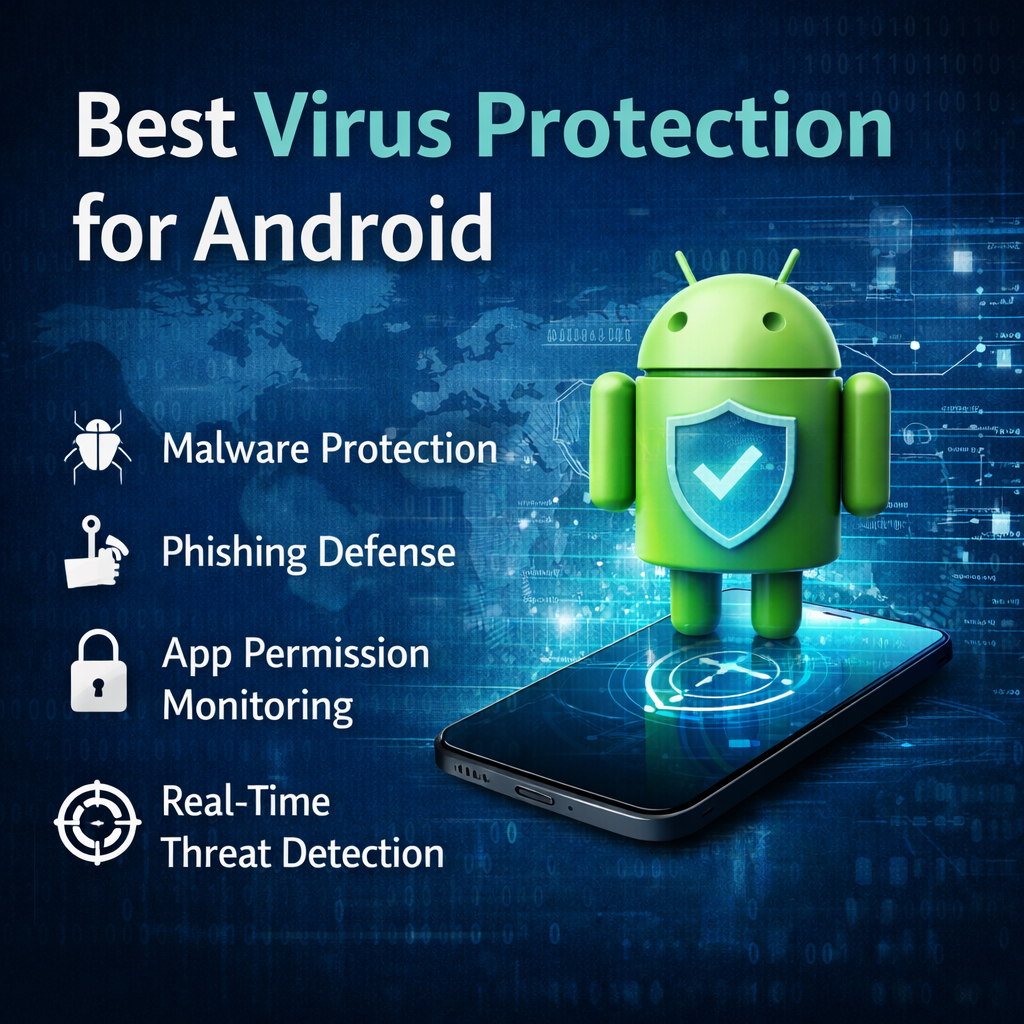
1. Real-Time Malware Protection
The best virus protection for Android continuously monitors apps, downloads, and system behavior. Real-time scanning ensures threats are blocked before they execute.
2. Advanced Threat Detection
Modern Android malware often hides behind legitimate-looking apps. Look for solutions that use:
Behavioral analysis
Cloud-based threat intelligence
AI-driven detection engines
3. Phishing & Web Protection
Cybercriminals increasingly use fake websites and SMS links. Strong Android antivirus software should:
Block malicious URLs
Warn users of phishing attempts
Protect against credential theft
4. App Permission Monitoring
Some apps request excessive permissions. The best tools alert users when apps access sensitive data like:
Contacts
Microphone
Camera
Location
5. Low Performance Impact
Security should not slow down your device. Lightweight scanning and optimized background processes are essential.
Best Virus Protection for Android: Key Capabilities Compared
When evaluating Android security solutions, decision-makers should focus on risk reduction, not just features.
Essential Capabilities Checklist
✅ Malware, ransomware, and spyware protection
✅ Zero-day threat detection
✅ Secure browsing and anti-phishing
✅ App reputation analysis
✅ Privacy protection and data control
✅ Centralized management (for businesses)
Enterprise-grade platforms go even further by offering visibility across multiple devices—an increasingly important factor for BYOD environments.
Why Free Antivirus Apps Are Not Enough
Many users rely on free antivirus apps, assuming basic protection is sufficient. Unfortunately, free tools often fall short.
Limitations of Free Android Antivirus Solutions
Limited or no real-time protection
No advanced threat detection
Ads and data tracking concerns
Minimal phishing or web protection
Lack of business-grade controls
For IT managers and executives, these gaps create unacceptable risk. Investing in the best virus protection for Android means gaining peace of mind and long-term cost savings by preventing breaches.
Android Security Threats You Should Be Concerned About
Understanding the threat landscape helps you choose the right protection.
Common Android Threats in 2026
Malware & Trojans
Disguised as legitimate apps, these can steal data or install backdoors.
Ransomware
Locks devices or encrypts files until a ransom is paid—especially damaging for businesses.
Spyware & Stalkerware
Silently monitors messages, calls, and locations.
Banking Malware
Targets financial apps to steal credentials and bypass authentication.
Phishing Attacks
Delivered through SMS, email, or fake apps, phishing remains one of the top mobile threats.
The best virus protection for Android actively detects and neutralizes these threats before damage occurs.
Best Practices to Maximize Android Virus Protection
Even the strongest security software performs best when paired with smart user behavior.
Actionable Android Security Tips
Install apps only from trusted sources
Review app permissions regularly
Keep Android OS and apps updated
Avoid public Wi-Fi without protection
Enable device encryption and screen locks
Security is a layered approach. Antivirus software acts as your frontline defense.
Android Security for Businesses and Enterprises
For organizations, Android security goes beyond individual devices.
Why Businesses Need Advanced Android Protection
Protects sensitive corporate data
Prevents credential theft and lateral attacks
Supports compliance and governance
Enables visibility across endpoints
The best virus protection software for Android should integrate seamlessly into a broader endpoint security strategy—especially for hybrid and remote workforces.
How the Best Virus Protection for Android Supports Zero Trust
Modern cybersecurity frameworks adopt a Zero Trust approach—never trust, always verify.
Android virus protection supports Zero Trust by:
Continuously validating device integrity
Detecting anomalous behavior
Blocking untrusted applications
Reducing attack surfaces
This makes Android antivirus software a key pillar in enterprise security architecture.
Choosing the Right Android Antivirus Software: Final Decision Checklist
Before selecting a solution, ask these questions:
Does it provide real-time protection?
Can it detect zero-day threats?
Is it lightweight and scalable?
Does it protect against phishing and ransomware?
Can it support business or enterprise environments?
If the answer is “yes” across the board, you’re looking at the best virus protection for Android—not just another antivirus app.
FAQ – Virus Protection Software for Android
1. Do Android phones really need antivirus software?
Yes. Android devices are frequent targets for malware, phishing, and spyware. Antivirus software adds a critical security layer.
2. What is the best virus protection for Android for businesses?
Business-grade solutions with real-time threat detection, centralized management, and advanced malware protection are ideal for organizations.
3. Can antivirus software slow down Android devices?
High-quality antivirus solutions are optimized for performance and run efficiently in the background without noticeable slowdown.
4. Is Google Play Protect enough?
Google Play Protect offers basic protection but lacks advanced threat detection, phishing defense, and enterprise-level controls.
5. How often should Android virus protection be updated?
Daily updates are recommended to stay protected against new and emerging threats.
Final Thoughts: Secure Your Android Devices Today
Android security is no longer just a personal concern—it’s a business imperative. As mobile threats grow more sophisticated, relying on outdated or free tools leaves critical gaps in protection. Choosing the best virus protection for Android ensures your devices, data, and digital operations remain secure in an increasingly hostile cyber landscape.
Take the Next Step Toward Stronger Android Security
Protect your Android devices with enterprise-grade security designed for today’s threats.
👉 Get started now:
https://openedr.platform.xcitium.com/register/
Your Android security strategy starts here.

 Loading...