Updated on July 10, 2026, by OpenEDR
Are your cloud workloads truly protected from today’s evolving cyber threats? As more organizations migrate critical applications and data to Amazon Web Services (AWS), following AWS security best practices has become essential. While AWS provides a highly secure cloud infrastructure, customers are responsible for protecting their applications, identities, workloads, and data through the shared responsibility model.
Understanding AWS security best practices helps IT managers, cybersecurity professionals, business leaders, and cloud architects reduce security risks, meet compliance requirements, and build resilient cloud environments. From identity management and encryption to continuous monitoring and Zero Trust security, implementing the right controls can dramatically strengthen your cloud security posture.
In this guide, you’ll learn the most effective AWS security best practices, common cloud security risks, and practical strategies for protecting your AWS environment.
Understanding the AWS Shared Responsibility Model
One of the most important AWS security concepts is the Shared Responsibility Model.
AWS is responsible for securing the underlying cloud infrastructure, including:
- Physical data centers
- Networking infrastructure
- Hardware
- Global cloud services
Customers are responsible for securing what they deploy in the cloud, including:
- User identities
- Applications
- Operating systems
- Data
- Network configurations
- IAM permissions
- Encryption settings
Understanding this model helps organizations clearly define their security responsibilities.
Why AWS Security Best Practices Matter
Cloud environments are constantly targeted by attackers looking to exploit weak credentials, misconfigured storage, exposed APIs, and unpatched workloads.
Following AWS security best practices helps organizations:
- Reduce the attack surface
- Protect sensitive data
- Prevent unauthorized access
- Improve compliance
- Detect threats faster
- Minimize downtime
- Strengthen business continuity
A proactive cloud security strategy is far more effective than reacting after a security incident.
Implement Strong Identity and Access Management (IAM)
Identity is the foundation of AWS security.
Organizations should follow the principle of least privilege, ensuring users and applications receive only the permissions required to perform their tasks.
IAM Best Practices
- Create individual IAM users instead of sharing accounts.
- Assign permissions using IAM roles.
- Enable Multi-Factor Authentication (MFA).
- Regularly review and remove unused accounts.
- Rotate access keys frequently.
- Avoid using the root account for everyday tasks.
- Apply permission boundaries where appropriate.
Strong identity management significantly reduces the risk of unauthorized access.
Enable Multi-Factor Authentication (MFA)
Passwords alone are no longer sufficient to protect cloud accounts.
MFA requires users to verify their identity using an additional authentication factor, such as:
- Authentication apps
- Hardware security keys
- One-time verification codes
MFA should always be enabled for:
- Root accounts
- Administrative users
- Privileged IAM users
- Console access
This simple control blocks many credential-based attacks.
Encrypt Data at Rest and in Transit
Encryption is one of the most effective ways to protect sensitive information.
Protect Data at Rest
Use AWS Key Management Service (AWS KMS) to encrypt:
- Amazon S3 buckets
- Amazon EBS volumes
- Amazon RDS databases
- Amazon DynamoDB tables
- Amazon EFS file systems
Protect Data in Transit
Secure communications using:
- HTTPS
- TLS encryption
- VPN connections
- AWS Direct Connect encryption
Encryption helps protect confidential information even if data is intercepted.
Secure Amazon S3 Storage
Misconfigured S3 buckets remain one of the most common causes of cloud data exposure.
S3 Security Best Practices
- Block public access unless absolutely necessary.
- Enable bucket encryption.
- Use versioning for data recovery.
- Enable access logging.
- Apply least-privilege bucket policies.
- Monitor bucket permissions regularly.
Regular security reviews help prevent accidental data leaks.
Protect AWS Workloads with Network Security
Network segmentation limits attacker movement and reduces risk.
Configure Security Groups
Security Groups act as virtual firewalls that control inbound and outbound traffic.
Best practices include:
- Allow only required ports.
- Restrict access by IP address.
- Remove unused rules.
- Review configurations regularly.
Use Network ACLs
Network Access Control Lists provide an additional security layer by filtering traffic at the subnet level.
Combining Security Groups and Network ACLs strengthens network defenses.
Monitor AWS Environments Continuously
Continuous visibility is essential for detecting suspicious activity before it becomes a major incident.
Enable monitoring services such as:
- AWS CloudTrail
- Amazon CloudWatch
- AWS Config
- Amazon GuardDuty
- AWS Security Hub
These services help organizations:
- Detect unauthorized access
- Identify configuration changes
- Monitor API activity
- Investigate security events
- Improve compliance
Real-time monitoring reduces response times and improves security operations.
Keep Systems Updated
Cloud workloads still require routine maintenance.
Organizations should:
- Patch operating systems.
- Update application dependencies.
- Remove unsupported software.
- Automate vulnerability management.
- Scan workloads regularly.
Timely updates reduce exposure to known vulnerabilities.
Implement Zero Trust Security in AWS
Traditional security models assume users and devices inside the network are trustworthy. However, modern cyber threats have shown that this assumption is no longer valid. Zero Trust follows the principle of “never trust, always verify.”
Zero Trust Best Practices for AWS
A Zero Trust approach strengthens cloud security by:
- Continuously verifying user identities
- Enforcing least-privilege access
- Authenticating devices before granting access
- Monitoring user behavior continuously
- Limiting lateral movement across cloud workloads
- Protecting sensitive applications with granular access controls
When combined with AWS Identity and Access Management (IAM), Zero Trust significantly reduces the attack surface.
Secure Containers and Kubernetes Workloads
Many organizations deploy applications using containers and Kubernetes services such as Amazon EKS.
Container Security Best Practices
Secure container environments by:
- Scanning container images for vulnerabilities
- Using trusted image repositories
- Keeping container images updated
- Limiting container privileges
- Protecting Kubernetes API access
- Encrypting secrets and configuration files
- Monitoring runtime behavior
Container security should be integrated throughout the software development lifecycle.
Protect APIs and Applications
APIs connect applications, cloud services, and users. Because they often expose sensitive business functions, they require strong protection.
API Security Recommendations
Follow these practices:
- Use HTTPS for all API communications.
- Implement strong authentication.
- Validate user input.
- Apply rate limiting.
- Monitor API activity.
- Rotate API keys regularly.
- Restrict unnecessary endpoints.
Strong API security helps prevent data breaches and unauthorized access.
Enable Continuous Logging and Threat Detection
Visibility is one of the most important elements of AWS security.
Essential AWS Security Services
Use AWS security tools such as:
- AWS CloudTrail for API activity logging
- Amazon GuardDuty for intelligent threat detection
- AWS Security Hub for centralized security findings
- AWS Config for configuration monitoring
- Amazon CloudWatch for metrics and alerts
- Amazon Inspector for vulnerability assessments
Combining these services improves detection and accelerates incident response.
Create an Incident Response Plan
Even well-protected environments can experience security incidents. A documented incident response plan helps minimize business disruption.
Incident Response Steps
- Detect suspicious activity.
- Identify affected AWS resources.
- Isolate compromised workloads.
- Investigate the root cause.
- Remove malicious activity.
- Restore affected services.
- Validate system integrity.
- Review lessons learned and strengthen controls.
Regular incident response exercises improve preparedness.
Meet Compliance Requirements
Many organizations use AWS to support regulatory compliance.
Common Compliance Frameworks
Depending on your industry, your AWS environment may need to align with:
- ISO 27001
- SOC 2
- HIPAA
- PCI DSS
- GDPR
- NIST Cybersecurity Framework
AWS provides compliance-focused services and documentation, but organizations remain responsible for configuring their cloud environments securely.
Common AWS Security Mistakes
Many cloud security incidents result from configuration errors rather than sophisticated attacks.
Mistakes to Avoid
- Using the root account for daily tasks
- Leaving S3 buckets publicly accessible
- Granting excessive IAM permissions
- Failing to enable MFA
- Ignoring security alerts
- Using outdated software
- Storing secrets in application code
- Neglecting backup testing
- Failing to monitor cloud activity
Avoiding these mistakes greatly improves your security posture.
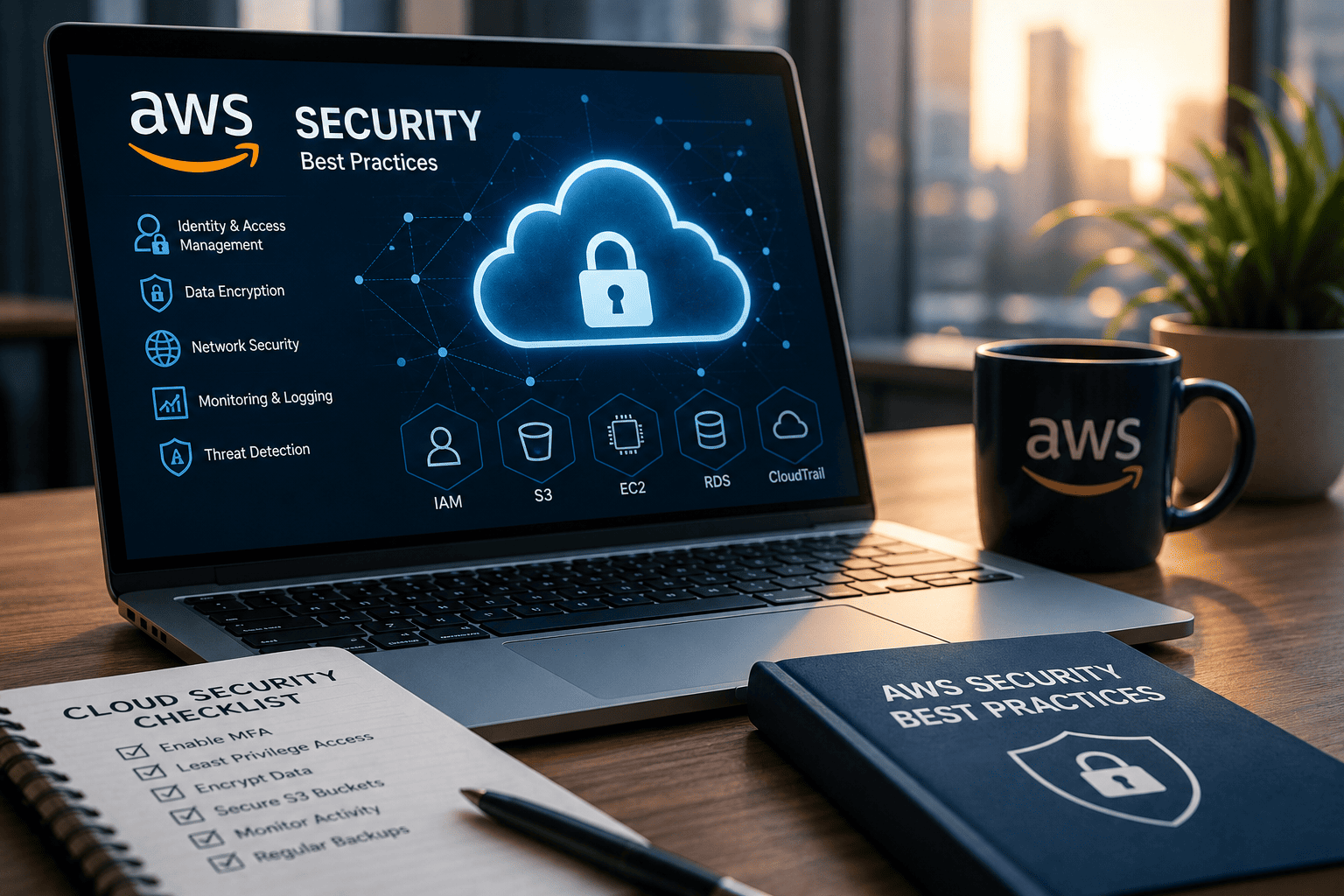
AWS Security Best Practices Checklist
Use this checklist to strengthen your AWS environment.
✔ Enable Multi-Factor Authentication (MFA)
✔ Apply the principle of least privilege
✔ Encrypt sensitive data
✔ Secure Amazon S3 buckets
✔ Monitor CloudTrail logs
✔ Enable GuardDuty
✔ Use AWS Security Hub
✔ Patch workloads regularly
✔ Protect APIs
✔ Scan containers for vulnerabilities
✔ Back up critical data
✔ Implement Zero Trust security
✔ Review IAM permissions regularly
✔ Monitor cloud activity continuously
Benefits of Following AWS Security Best Practices
Organizations that implement strong cloud security controls gain several advantages.
Key Benefits
- Reduced cyber risk
- Stronger regulatory compliance
- Better visibility into cloud environments
- Faster incident detection
- Improved business continuity
- Reduced operational downtime
- Stronger customer trust
- More secure cloud migrations
- Simplified security management
A proactive approach to cloud security helps organizations stay resilient against evolving threats.
Future Trends in AWS Security
Cloud security continues to evolve rapidly.
Emerging trends include:
- AI-powered threat detection
- Cloud-native application protection platforms (CNAPP)
- Extended Detection and Response (XDR)
- Zero Trust Architecture
- Security automation
- Identity-first security
- Continuous compliance monitoring
- Runtime cloud workload protection
Organizations adopting these technologies will be better positioned to defend against modern cyber threats.
Conclusion
Implementing AWS security best practices is essential for protecting cloud workloads, sensitive data, and business operations. While AWS provides a secure cloud infrastructure, organizations must secure their identities, applications, configurations, and workloads through a comprehensive cloud security strategy.
By following best practices such as enabling Multi-Factor Authentication, applying least-privilege access, encrypting data, monitoring cloud activity, securing storage, implementing Zero Trust, and preparing for incidents, businesses can significantly reduce cyber risk while supporting innovation and growth.
Cloud security is an ongoing process. Regular assessments, continuous monitoring, and proactive improvements help ensure your AWS environment remains resilient against evolving threats.
Ready to Strengthen Your Cloud Security?
Protect your cloud workloads with advanced endpoint protection, Zero Trust security, and continuous threat monitoring.
Get started today:
https://openedr.platform.xcitium.com/register/
Frequently Asked Questions
1. What are AWS security best practices?
AWS security best practices are recommended measures for protecting cloud resources. They include enabling Multi-Factor Authentication, applying least-privilege access, encrypting data, monitoring activity, securing storage, and continuously updating workloads.
2. What is the AWS Shared Responsibility Model?
The Shared Responsibility Model means AWS secures the underlying cloud infrastructure, while customers are responsible for securing their data, applications, identities, operating systems, and cloud configurations.
3. Why is IAM important in AWS security?
AWS Identity and Access Management (IAM) controls who can access cloud resources and what actions they can perform. Proper IAM configuration reduces the risk of unauthorized access.
4. How does Zero Trust improve AWS security?
Zero Trust continuously verifies every user, device, and workload before granting access. It reduces lateral movement, limits privileged access, and strengthens protection against insider threats and compromised credentials.
5. Which AWS services help improve cloud security?
Common AWS security services include AWS CloudTrail, Amazon GuardDuty, AWS Security Hub, AWS Config, Amazon CloudWatch, Amazon Inspector, AWS Key Management Service (KMS), and AWS Identity and Access Management (IAM). Together, they help organizations monitor, detect, and respond to security threats while improving compliance.

 Loading...