Updated on May 21, 2026, by OpenEDR
Cyberattacks are no longer limited to large enterprises or government agencies. Today, businesses of every size face phishing attacks, account takeovers, ransomware, and credential theft daily. That’s why many organizations are turning to Google Advanced Protection to strengthen account security and reduce cyber risk.
If your company relies on Google Workspace, Gmail, Android devices, or Chrome-based workflows, understanding how Google Advanced Protection works can help you build a more resilient cybersecurity strategy.
For IT managers, CEOs, founders, and cybersecurity teams, the stakes are high. A single compromised account can expose customer data, disrupt operations, and damage trust. Fortunately, advanced identity protection and endpoint security can significantly reduce those risks.
In this guide, we’ll explain what Google Advanced Protection is, how it works, its benefits and limitations, and how businesses can combine it with modern endpoint security for stronger protection.
What Is Google Advanced Protection?
Google Advanced Protection is a high-security program designed to protect users from sophisticated cyber threats such as phishing, account hijacking, malware infections, and unauthorized access.
Google originally created the program for journalists, political figures, executives, and other high-risk users. However, many businesses now use it to secure critical accounts and sensitive corporate data.
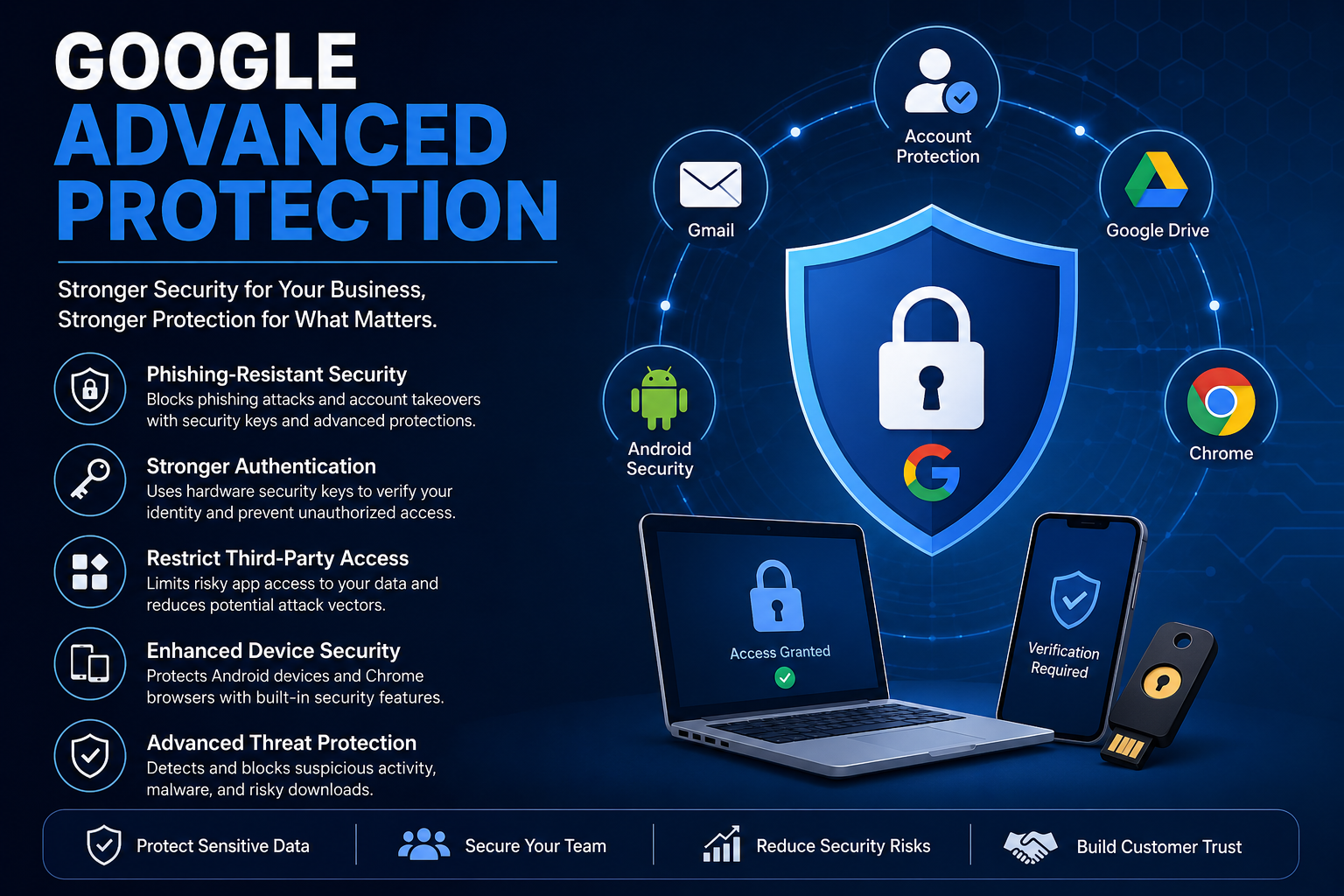
The program adds extra layers of security beyond standard two-factor authentication (2FA). It focuses heavily on:
- Stronger login verification
- Enhanced phishing protection
- Restricted third-party app access
- Safer browsing and downloads
- Device-level security enforcement
Unlike basic account security settings, Google Advanced Protection is designed to defend against targeted attacks used by modern threat actors.
Why Businesses Are Adopting Google Advanced Protection
Cybercriminals increasingly target business email accounts because they often provide access to:
- Financial systems
- Customer databases
- Cloud applications
- Internal communications
- Administrative privileges
A compromised executive or IT administrator account can lead to devastating consequences.
Many organizations are adopting Google Advanced Protection because it helps reduce common attack vectors while improving identity security.
Key Business Benefits
Stronger Phishing Protection
Phishing remains one of the leading causes of security breaches. Google Advanced Protection uses enhanced verification methods that make stolen passwords far less useful to attackers.
Reduced Account Takeovers
The platform blocks unauthorized access attempts using stronger authentication and risk-based security controls.
Better Control Over Third-Party Apps
Many breaches occur through insecure third-party integrations. Advanced Protection limits app access to reduce exposure.
Enhanced Device Security
The program works alongside Android and Chrome security features to improve endpoint protection across devices.
Protection for High-Risk Users
Executives, finance teams, IT administrators, and remote workers benefit from additional layers of account security.
How Google Advanced Protection Works
Google Advanced Protection uses several security technologies together to reduce account compromise risks.
Security Keys for Authentication
One of the most important features is the use of physical security keys.
Instead of relying only on passwords or SMS codes, users authenticate using hardware-based security keys such as:
- USB security keys
- NFC security keys
- Bluetooth authentication devices
This dramatically reduces phishing risks because attackers cannot easily steal physical authentication factors.
Restricted Third-Party Access
Google Advanced Protection limits access for apps that request Gmail or Google Drive permissions.
Only trusted applications can interact with protected accounts. This reduces the chance of malicious or compromised apps accessing sensitive data.
Advanced Threat Detection
Google continuously scans for suspicious login activity, malicious downloads, and risky account behavior.
Security mechanisms include:
- Login anomaly detection
- Suspicious device monitoring
- Browser risk analysis
- Malicious attachment scanning
- Safe Browsing protections
These protections help stop attacks before damage occurs.
Enhanced Chrome and Android Security
Google Advanced Protection also improves security across Chrome browsers and Android devices.
Features may include:
- Stronger app verification
- Safer web browsing
- Restricted app installations
- Device integrity monitoring
- Download protection
For organizations using Android enterprise environments, these controls improve mobile security significantly.
Common Cyber Threats Google Advanced Protection Helps Prevent
Modern cyberattacks often combine multiple tactics. Google Advanced Protection helps reduce exposure to several common threats.
Phishing Attacks
Attackers frequently create fake login pages to steal credentials. Security keys make these attacks much less effective.
Business Email Compromise (BEC)
Cybercriminals target executives and finance teams to initiate fraudulent payments or steal sensitive information.
Credential Theft
Stolen passwords alone are not enough to access protected accounts when hardware-based authentication is required.
Malware Delivery
Advanced scanning and download protections help block malicious files and unsafe websites.
Account Hijacking
Attackers attempting to access accounts from unusual devices or locations face additional verification requirements.
Limitations of Google Advanced Protection
While Google Advanced Protection is powerful, businesses should understand that it is not a complete cybersecurity solution.
It Primarily Protects Google Accounts
The program focuses mainly on Google identity security and account protection.
It does not fully address:
- Network security
- Endpoint detection and response (EDR)
- Ransomware containment
- Lateral movement detection
- Insider threats
- Full device remediation
User Experience Challenges
Some employees may find hardware security keys inconvenient at first.
Additional authentication requirements can also create onboarding and support challenges if not managed properly.
Limited Protection Against Advanced Endpoint Threats
Even if accounts are protected, endpoints can still be compromised through:
- Zero-day malware
- Fileless attacks
- Browser exploits
- Ransomware
- Malicious scripts
This is why businesses often combine Google Advanced Protection with advanced endpoint security solutions.
Best Practices for Using Google Advanced Protection in Businesses
To maximize security, organizations should follow several implementation best practices.
Identify High-Risk Users
Prioritize protection for:
- Executives
- IT administrators
- Finance departments
- HR teams
- Remote workers
- Employees handling sensitive data
These users are common phishing targets.
Enforce Strong Endpoint Security
Identity protection alone is not enough. Businesses also need endpoint protection platforms capable of detecting:
- Malware
- Ransomware
- Suspicious behaviors
- Zero-day threats
- Unauthorized applications
Combining identity security with endpoint detection creates stronger defense layers.
Conduct Employee Security Training
Even strong security controls can fail if employees ignore cybersecurity best practices.
Training should cover:
- Phishing awareness
- Password hygiene
- Social engineering tactics
- Safe browsing habits
- Device security
Well-trained employees significantly reduce attack success rates.
Regularly Review Account Access
IT teams should audit:
- Connected apps
- Login activity
- Admin privileges
- Device access
- User permissions
Continuous monitoring helps identify unusual activity early.
Google Advanced Protection vs Traditional Two-Factor Authentication
Many organizations already use two-factor authentication. However, Google Advanced Protection provides stronger defenses.
| Feature | Traditional 2FA | Google Advanced Protection |
|---|---|---|
| SMS Codes | Yes | Limited |
| Hardware Security Keys | Optional | Required |
| Phishing Resistance | Moderate | High |
| Third-Party App Restrictions | Minimal | Strong |
| Advanced Threat Monitoring | Basic | Enhanced |
| Enterprise Security Focus | Moderate | High |
Traditional 2FA improves security, but phishing-resistant authentication offers much stronger protection against sophisticated attacks.
How Endpoint Security Complements Google Advanced Protection
While Google Advanced Protection secures identities, endpoint security protects devices and workloads from malware and ransomware attacks.
Businesses need both because attackers often target endpoints after bypassing user protections.
Why Endpoint Security Matters
Endpoints remain vulnerable to:
- Ransomware
- Malicious scripts
- Trojans
- Fileless malware
- Browser-based attacks
- Exploit kits
Advanced endpoint detection and response solutions help organizations:
- Detect suspicious behavior
- Isolate infected devices
- Prevent lateral movement
- Stop ransomware execution
- Investigate threats quickly
Combining identity security and endpoint protection creates a more resilient cybersecurity posture.
Industries That Benefit Most from Google Advanced Protection
Several industries face elevated cyber risk and benefit greatly from stronger account protection.
Healthcare
Healthcare organizations manage highly sensitive patient data and are frequent ransomware targets.
Financial Services
Banks and fintech companies face constant phishing and credential theft attempts.
Legal Firms
Law firms store confidential client information that attackers often target.
Technology Companies
Tech organizations frequently face intellectual property theft and credential-based attacks.
Government and Public Sector
Government employees and contractors are high-value phishing targets.
Future of Identity-Based Cybersecurity
Identity has become one of the most important cybersecurity battlegrounds.
As attackers evolve, businesses increasingly rely on:
- Passwordless authentication
- Zero Trust security models
- Behavioral analytics
- Risk-based authentication
- Endpoint telemetry
- AI-driven threat detection
Google Advanced Protection represents part of this shift toward stronger identity-focused security strategies.
However, layered security remains essential. No single solution can stop every attack.
Frequently Asked Questions
What is Google Advanced Protection used for?
Google Advanced Protection helps secure accounts against phishing, malware, account takeovers, and targeted cyberattacks using stronger authentication and advanced security controls.
Is Google Advanced Protection worth it for businesses?
Yes. Businesses with high-risk users, sensitive data, or remote workforces benefit from stronger account protection and phishing-resistant authentication.
Does Google Advanced Protection stop ransomware?
It helps reduce ransomware risks by protecting accounts and blocking malicious downloads. However, businesses still need advanced endpoint security to detect and contain ransomware on devices.
Can employees use Google Advanced Protection easily?
Most users can adapt quickly, although hardware security keys and additional verification steps may require some initial training.
What is the difference between Google Advanced Protection and regular 2FA?
Google Advanced Protection uses stronger phishing-resistant authentication, stricter app controls, and enhanced threat detection compared to standard two-factor authentication.
Final Thoughts
Cyber threats continue to evolve, and businesses can no longer rely on passwords alone to secure critical systems and sensitive information.
Google Advanced Protection offers a stronger approach to account security by reducing phishing risks, limiting unauthorized access, and improving identity protection for high-risk users.
However, identity protection is only one part of a complete cybersecurity strategy. Businesses also need advanced endpoint protection, threat detection, and ransomware defense capabilities to stay resilient against modern attacks.
Organizations that combine strong identity security with proactive endpoint defense are better positioned to reduce risk, maintain business continuity, and protect customer trust.
Ready to strengthen your endpoint security posture?
Start protecting your organization with advanced endpoint detection and response solutions today:

 Loading...