
Updated on April 8, 2026, by OpenEDR
Have you ever faced slow internet or strange network behavior but couldn’t access your router? Many professionals and businesses struggle with this exact problem. A home internet reset tool without router access can help restore connectivity, fix hidden issues, and improve security—even when the router isn’t available.
Whether you’re an IT manager troubleshooting endpoints, a cybersecurity professional investigating anomalies, or a business owner ensuring uptime, knowing how to use a home internet reset tool without router is essential. In this guide, we’ll walk you through practical methods, tools, and strategies to reset and secure your internet connection effectively.
What Is a Home Internet Reset Tool Without Router?
A home internet reset tool without router is a software-based or system-level method that allows users to reset network settings, connections, and configurations directly from a device—without needing physical or administrative access to the router.
These tools are especially useful when:
- Router access is restricted or unavailable
- Network issues originate from the endpoint
- Security threats require immediate action
- Remote troubleshooting is needed
Instead of resetting hardware, these tools focus on:
- Network stack resets
- IP renewal
- DNS flushing
- Adapter reconfiguration
Why You Might Need a Home Internet Reset Tool Without Router
There are several real-world scenarios where a home internet reset tool without router becomes critical:
1. Limited Router Access
In corporate or managed environments, users often don’t have admin rights to routers.
2. Security Concerns
Malware or unauthorized access may affect network behavior, requiring immediate reset actions.
3. Remote Work Challenges
Employees working remotely may not have physical access to networking equipment.
4. Connectivity Issues
Problems like DNS errors, IP conflicts, or corrupted network settings can disrupt performance.
Common Signs You Need a Network Reset
Before using a home internet reset tool without router, look for these signs:
- Slow or unstable internet connection
- Frequent disconnections
- DNS errors or “No Internet Access” messages
- Unknown network activity
- Inability to access certain websites
- High latency or packet loss
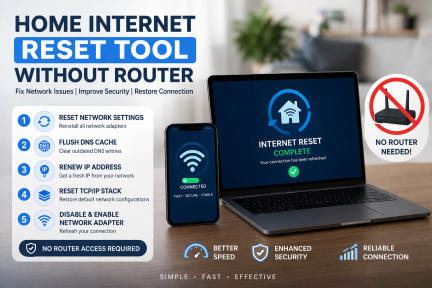
Step-by-Step: How to Reset Internet Without Router Access
Here’s how to use a home internet reset tool without router effectively:
1. Reset Network Settings (Windows)
- Open Settings → Network & Internet
- Scroll to Network Reset
- Click Reset Now
👉 This removes and reinstalls all network adapters.
2. Flush DNS Cache
Open Command Prompt and type:
This clears outdated DNS entries and improves connectivity.
3. Renew IP Address
Run the following commands:
ipconfig /renew
This assigns a new IP address from the network.
4. Reset TCP/IP Stack
This restores default network configurations.
5. Disable and Enable Network Adapter
- Go to Control Panel → Network Connections
- Right-click your adapter → Disable → Enable
Best Tools for Home Internet Reset Without Router
Here are some effective tools that function as a home internet reset tool without router:
🔹 Built-in OS Tools
- Windows Network Reset
- Command Prompt utilities
- macOS Network Diagnostics
🔹 Security & Endpoint Tools
- Endpoint detection tools
- Anti-malware software
- Network monitoring solutions
🔹 Third-Party Utilities
- Network repair tools
- DNS benchmark tools
- Connectivity analyzers
Security Benefits of Using a Home Internet Reset Tool Without Router
Using a home internet reset tool without router isn’t just about fixing connectivity—it’s also a security measure.
🔒 1. Removes Malicious Configurations
Malware can alter DNS or proxy settings. Resetting restores defaults.
🔒 2. Stops Unauthorized Connections
Clears suspicious network sessions and background activity.
🔒 3. Improves Visibility
Helps identify abnormal traffic patterns post-reset.
🔒 4. Reduces Attack Surface
Resets vulnerabilities caused by misconfigurations.
Advanced Troubleshooting Techniques
For IT professionals and cybersecurity teams, deeper analysis may be required.
🔹 Check Active Connections
Use:
Look for:
- Unknown IP addresses
- Suspicious ports
🔹 Scan for Malware
A compromised system may require:
- Full antivirus scan
- Endpoint detection tools
- Behavioral analysis
🔹 Reset Proxy Settings
Malware often modifies proxy configurations.
- Go to Internet Options → Connections → LAN Settings
- Disable unknown proxy servers
Home Internet Reset Tool Without Router vs Router Reset
| Feature | Without Router Tool | Router Reset |
|---|---|---|
| Access Required | Device-level | Router admin access |
| Speed | Fast | Moderate |
| Security Impact | High (endpoint focus) | Medium |
| Use Case | Remote troubleshooting | Network-wide issues |
| Ease of Use | Easy | Moderate |
Best Practices for Preventing Network Issues
To minimize reliance on a home internet reset tool without router, follow these best practices:
- Keep your OS and drivers updated
- Use strong endpoint security solutions
- Avoid connecting to unsecured networks
- Monitor network activity regularly
- Schedule routine scans
Real-World Use Case
Imagine an employee working remotely who suddenly loses access to internal systems. Without router access, IT teams can guide them to use a home internet reset tool without router to:
- Reset DNS settings
- Renew IP configuration
- Remove malicious changes
Within minutes, connectivity is restored—without hardware intervention.
Future Trends in Network Reset Tools
As cybersecurity evolves, home internet reset tool without router solutions are becoming more advanced:
- AI-driven diagnostics
- Automated remediation
- Cloud-based endpoint control
- Zero Trust network integration
These innovations will make troubleshooting faster and more secure.
FAQs
1. Can I reset my internet without accessing the router?
Yes, using a home internet reset tool without router, you can reset network settings, flush DNS, and renew IP configurations directly from your device.
2. Is it safe to use a home internet reset tool without router?
Yes, it is safe and often recommended, especially when dealing with malware or configuration issues.
3. Will resetting network settings delete my data?
No, it only resets network configurations. Your personal files remain untouched.
4. How often should I reset my internet settings?
Only when needed—such as during connectivity issues or suspected security threats.
5. Can malware affect my network settings?
Yes, malware can change DNS, proxy, and network configurations. Using a reset tool helps restore them.
Conclusion
A home internet reset tool without router is an essential solution for modern connectivity challenges. Whether you’re dealing with network issues, security threats, or remote troubleshooting, these tools provide a fast and effective way to restore performance without relying on router access.
For organizations and individuals alike, combining these tools with strong cybersecurity practices ensures both stability and protection.
Take Control of Your Network Security
Don’t wait for connectivity issues or cyber threats to disrupt your operations. Strengthen your endpoint security and network resilience today.
👉 Register now and secure your systems:
https://openedr.platform.xcitium.com/register/

 Loading...