
Updated on March 23, 2026, by OpenEDR
Is your computer truly stable under pressure? Whether you’re managing enterprise systems or using a personal device, pc stress test software plays a critical role in ensuring performance, reliability, and security.
Modern systems handle complex workloads—from cloud applications to cybersecurity tools. Without proper testing, hidden issues like overheating, hardware failure, or instability can lead to downtime or data loss. That’s why using pc stress test software is essential for IT managers, cybersecurity professionals, and business leaders.
In this guide, we’ll explore what pc stress test software is, how it works, the best tools available, and how to use it safely to optimize system performance.
What is PC Stress Test Software?
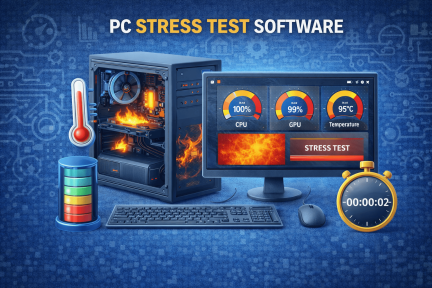
PC stress test software is a tool designed to push a computer’s hardware components to their limits. It simulates heavy workloads to evaluate system stability, performance, and reliability.
Key Components Tested
- CPU (Central Processing Unit)
- GPU (Graphics Processing Unit)
- RAM (Memory)
- Storage drives
- Cooling systems
By using pc stress test software, users can identify weaknesses before they cause failures.
Why PC Stress Testing is Important
Stress testing is not just for enthusiasts—it’s essential for businesses and IT environments.
Key Benefits
- Detects hardware issues early
- Prevents system crashes
- Improves performance optimization
- Ensures stability under load
- Supports cybersecurity resilience
A stable system is less likely to fail during critical operations.
How PC Stress Test Software Works
Understanding how these tools operate helps you use them effectively.
Step-by-Step Process
- The software generates heavy workloads
- System components operate at maximum capacity
- Performance metrics are monitored
- Errors or failures are detected
- Results are analyzed
This process helps evaluate whether your system can handle demanding tasks.
Types of PC Stress Test Software
Different tools focus on different components.
1. CPU Stress Testing Tools
These tools test processor performance and stability.
What They Measure
- Processing power
- Temperature levels
- Thread performance
2. GPU Stress Testing Tools
Used for graphics-intensive workloads.
Key Metrics
- Frame rendering performance
- GPU temperature
- Stability under load
3. RAM Stress Testing Tools
Evaluate memory reliability.
Benefits
- Detects memory errors
- Prevents system crashes
- Improves multitasking performance
4. Full-System Stress Testing Tools
Test all components simultaneously.
Best PC Stress Test Software Tools
Choosing the right pc stress test software is crucial.
1. Prime95
A popular CPU stress testing tool.
Features
- High CPU load testing
- Stability verification
- Widely used by professionals
2. AIDA64
Comprehensive system testing software.
Features
- Full system diagnostics
- Real-time monitoring
- Detailed reporting
3. FurMark
Designed for GPU stress testing.
Features
- Intense GPU benchmarking
- Thermal performance testing
- Easy-to-use interface
4. MemTest86
Specialized RAM testing tool.
Features
- Detects memory errors
- Bootable testing environment
- Reliable diagnostics
5. OCCT (OverClock Checking Tool)
All-in-one testing solution.
Features
- CPU, GPU, and PSU testing
- Real-time monitoring
- User-friendly interface
Key Features to Look For in PC Stress Test Software
Not all tools offer the same capabilities.
1. Real-Time Monitoring
Tracks performance metrics during testing.
2. Detailed Reporting
Provides insights into system behavior.
3. Multi-Component Testing
Tests CPU, GPU, RAM, and storage.
4. Customizable Workloads
Allows users to adjust test intensity.
5. Safety Controls
Prevents hardware damage during testing.
How to Use PC Stress Test Software Safely
Stress testing can push systems to their limits, so safety is important.
Step 1: Prepare Your System
- Close unnecessary applications
- Ensure proper cooling
- Backup important data
Step 2: Choose the Right Tool
Select software based on your testing needs.
Step 3: Monitor Temperature
Keep an eye on system temperature during testing.
Step 4: Run Tests Gradually
Start with moderate workloads before increasing intensity.
Step 5: Analyze Results
Look for errors, crashes, or performance issues.
Common Mistakes to Avoid
Users often make mistakes when using pc stress test software.
Running Tests for Too Long
Extended stress can damage hardware.
Ignoring Temperature Limits
Overheating can cause permanent damage.
Using Incompatible Tools
Always use software compatible with your system.
Skipping Monitoring
Failing to monitor metrics can lead to unnoticed issues.
PC Stress Testing for Businesses
Organizations rely on stable systems for operations.
Business Benefits
- Prevents downtime
- Ensures system reliability
- Supports cybersecurity tools
- Improves infrastructure planning
IT Use Cases
- Server performance testing
- Workstation validation
- Cloud infrastructure testing
Role of Stress Testing in Cybersecurity
System stability is critical for cybersecurity.
Why It Matters
- Prevents system crashes during attacks
- Ensures security tools run effectively
- Supports incident response readiness
Example
A stressed system may fail during a cyberattack, making it easier for attackers to exploit vulnerabilities.
Challenges in Stress Testing
Despite its benefits, stress testing has challenges.
Hardware Risks
Excessive stress can damage components.
Resource Consumption
Tests require significant system resources.
Complexity
Interpreting results may require expertise.
Future of PC Stress Test Software
Technology is evolving rapidly.
Emerging Trends
- AI-driven performance analysis
- Cloud-based testing tools
- Automated diagnostics
- Integration with cybersecurity platforms
These advancements will improve accuracy and efficiency.
Frequently Asked Questions (FAQ)
What is pc stress test software?
It is a tool used to test a computer’s performance and stability by simulating heavy workloads.
Is stress testing safe for PCs?
Yes, if done properly with monitoring and safety precautions.
How long should I run a stress test?
Typically 15–60 minutes, depending on the test type.
Can stress testing damage hardware?
Improper use or excessive testing can cause damage, especially due to overheating.
Why is stress testing important?
It helps identify system weaknesses and ensures stability under heavy workloads.
Optimize Your System Performance Today
Your system’s reliability is only as strong as its weakest component. Using pc stress test software helps identify issues early, improve performance, and ensure stability in both personal and enterprise environments.
Whether you’re managing IT infrastructure or optimizing your laptop, stress testing is a powerful tool for maintaining performance and security.
👉 Register for cybersecurity training today:
https://openedr.platform.xcitium.com/register/
Learn how to strengthen system performance, improve cybersecurity readiness, and build a more resilient IT environment.

 Loading...