
Updated on March 16, 2026, by OpenEDR
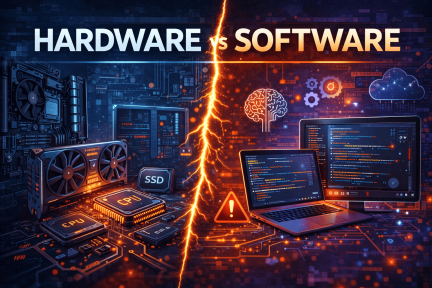
In the modern digital world, every computer system relies on two essential components: hardware vs software. While these terms are often mentioned together, they represent two completely different aspects of technology. Understanding the relationship between hardware vs software is critical for cybersecurity professionals, IT managers, and business leaders who rely on technology every day.
Think about the device you are using right now. The physical components like the processor, keyboard, and storage are hardware. The applications and operating systems that allow you to perform tasks are software. Without one, the other simply cannot function.
For organizations focused on online security and IT infrastructure, understanding the differences between hardware vs software helps improve system performance, reduce vulnerabilities, and make smarter technology investments. In this guide, we will break down how hardware and software work, explore their key differences, and explain why both play a vital role in modern cybersecurity strategies.
What is Hardware?
Hardware refers to the physical components of a computer system that you can touch and see. These components provide the infrastructure needed to run programs, store data, and process information.
Examples of Computer Hardware
Common hardware components include:
Central Processing Unit (CPU)
Hard drives and solid-state drives
Memory (RAM)
Motherboards
Network cards
Graphics processing units (GPU)
Keyboards, monitors, and mice
These components work together to provide the computing power required to run applications and perform tasks.
Role of Hardware in IT Infrastructure
In enterprise environments, hardware forms the backbone of IT infrastructure. Servers, storage devices, networking equipment, and security appliances all fall into this category.
For IT managers and cybersecurity teams, maintaining reliable hardware is essential for:
System performance
Data storage
Network connectivity
Infrastructure stability
When organizations discuss hardware vs software performance, hardware usually determines the raw computing power available to the system.
What is Software?
Software refers to the programs and instructions that run on hardware. It tells the hardware what tasks to perform and how to execute them.
Without software, hardware would simply sit idle.
Types of Software
Software can be categorized into several types:
System Software
System software manages the basic functions of a computer system.
Examples include:
Operating systems (Windows, Linux, macOS)
Device drivers
Firmware
Application Software
Application software helps users perform specific tasks.
Examples include:
Web browsers
Email clients
Productivity tools
Security software
Security Software
Security applications are especially important in cybersecurity environments.
Examples include:
Antivirus solutions
Endpoint detection and response tools
Firewalls
Threat detection platforms
In discussions around hardware vs software security, software typically provides the protection mechanisms that defend systems from cyber threats.
Hardware vs Software: Key Differences
Understanding the differences between hardware vs software helps organizations make better decisions about infrastructure investments and cybersecurity strategies.
1. Physical vs Digital Components
The most obvious difference between hardware vs software is their form.
Hardware
Physical components
Can be touched and replaced
Requires manufacturing
Software
Digital programs
Installed or downloaded
Updated through code
Hardware provides the environment where software runs.
2. Lifespan and Maintenance
Hardware and software have very different lifecycles.
Hardware Lifecycle
Hardware typically lasts between 3–10 years depending on the device.
Common hardware maintenance includes:
Upgrading RAM
Replacing drives
Cleaning internal components
Updating firmware
Software Lifecycle
Software evolves constantly through updates and patches.
Software maintenance includes:
Security updates
Feature improvements
Bug fixes
Compatibility upgrades
For cybersecurity teams, software updates are critical to fixing vulnerabilities.
3. Security Considerations
Security is a major factor when comparing hardware vs software in cybersecurity environments.
Hardware Security
Hardware security protects physical devices and infrastructure.
Examples include:
Hardware security modules (HSM)
Secure boot chips
Trusted platform modules (TPM)
Biometric authentication devices
Software Security
Software security protects applications, operating systems, and networks.
Examples include:
Antivirus programs
Endpoint protection
Intrusion detection systems
Patch management tools
Both hardware and software security are necessary to build a strong cybersecurity strategy.
4. Flexibility and Scalability
Another major difference between hardware vs software systems is flexibility.
Hardware changes require physical replacement or upgrades.
Software changes can be deployed instantly through updates.
Hardware Scalability
Scaling hardware infrastructure often involves:
Purchasing new servers
Expanding storage systems
Upgrading network hardware
Software Scalability
Software solutions can scale more easily through:
Cloud platforms
Virtual machines
Software updates
Remote deployments
This flexibility is why cloud computing heavily relies on software-defined infrastructure.
How Hardware and Software Work Together
Even though hardware vs software represent different components, they work together to create functional systems.
The Interaction Between Hardware and Software
Here’s a simple example:
A user clicks an application icon.
The operating system (software) sends instructions to the CPU.
The CPU (hardware) processes the instructions.
Memory (hardware) temporarily stores data.
The result appears on the monitor.
Every digital action involves cooperation between hardware and software.
Without software instructions, hardware cannot operate. Without hardware resources, software cannot run.
Hardware vs Software in Cybersecurity
Cybersecurity strategies depend heavily on both hardware and software protection.
Organizations today face increasing cyber threats such as ransomware, phishing attacks, and data breaches. Protecting systems requires a layered defense approach combining hardware and software security tools.
Hardware-Based Security Solutions
Hardware-based cybersecurity solutions include:
Security chips
Network firewalls
Secure routers
Hardware encryption devices
These technologies protect systems at the infrastructure level.
Software-Based Security Solutions
Software security tools provide dynamic protection against evolving threats.
Common solutions include:
Endpoint protection platforms
Threat detection software
Security monitoring systems
Malware scanning tools
Modern cybersecurity strategies combine hardware protection with advanced software security platforms.
Advantages of Hardware
Hardware provides several benefits for businesses managing complex IT environments.
Key Advantages
High performance for demanding workloads
Physical security controls
Reliable infrastructure
Dedicated processing power
Hardware is especially important in data centers, enterprise servers, and industrial environments.
Advantages of Software
Software offers flexibility and efficiency that hardware alone cannot provide.
Key Advantages
Easy to update and maintain
Cost-effective scalability
Remote management capabilities
Rapid deployment of new features
Many organizations now rely on cloud-based software solutions to manage IT operations and cybersecurity.
Common Challenges with Hardware vs Software
Despite their benefits, both hardware and software come with challenges.
Hardware Challenges
Hardware issues may include:
High upfront costs
Maintenance requirements
Physical wear and tear
Limited scalability
Software Challenges
Software challenges often involve:
Compatibility issues
Security vulnerabilities
Frequent updates
Licensing costs
Organizations must carefully balance hardware vs software investments to build efficient and secure systems.
Best Practices for Managing Hardware and Software
To ensure optimal system performance and security, organizations should follow these best practices.
1. Maintain Regular Software Updates
Keeping software updated ensures systems remain protected against new threats.
2. Monitor Hardware Performance
Regular monitoring helps detect potential hardware failures early.
3. Use Security Software Solutions
Deploying advanced cybersecurity software protects systems from malware and cyber attacks.
4. Implement Asset Management
Tracking both hardware and software assets improves visibility across the IT environment.
5. Train IT Teams and Employees
Cybersecurity awareness and training help prevent human errors that can compromise systems.
Why Understanding Hardware vs Software Matters for Businesses
For IT managers, cybersecurity professionals, and business leaders, understanding hardware vs software is essential for building secure digital infrastructure.
Organizations that properly manage hardware and software systems can:
Improve operational efficiency
Reduce cybersecurity risks
Optimize IT investments
Support digital transformation initiatives
As cyber threats become more sophisticated, businesses must integrate both hardware and software security strategies.
Frequently Asked Questions (FAQ)
What is the main difference between hardware vs software?
Hardware refers to the physical components of a computer system, while software consists of programs and instructions that run on the hardware.
Can a computer function without software?
No. Without software, hardware cannot perform any meaningful tasks because it requires instructions to operate.
Which is more important: hardware or software?
Both are equally important. Hardware provides the infrastructure, while software enables functionality and security.
How does hardware affect cybersecurity?
Hardware can provide security features such as encryption modules, secure boot systems, and trusted platform chips that help protect devices from cyber threats.
Why do businesses need both hardware and software security?
Combining hardware and software security creates multiple layers of protection that help prevent cyber attacks and data breaches.
Strengthen Your Cybersecurity Knowledge Today
Understanding the relationship between hardware vs software is essential for building secure and reliable IT systems. As technology evolves, organizations must adopt smarter strategies to manage both infrastructure and cybersecurity solutions.
Want to take your cybersecurity knowledge to the next level?
👉 Register for expert cybersecurity training today:
https://openedr.platform.xcitium.com/register/
Gain practical insights, improve your security expertise, and stay ahead of emerging cyber threats.

 Loading...