
Updated on February 26, 2026, by OpenEDR
A security key USB may look like a simple flash drive, but it plays a powerful role in modern cybersecurity. As phishing attacks and credential theft continue to rise, relying on passwords alone is no longer safe. Businesses of all sizes are adopting hardware-based authentication to stop account takeovers before they happen.
If you manage IT systems, oversee cybersecurity, or lead a growing company, understanding how a security key USB works can dramatically improve your security posture. From preventing phishing to strengthening multi-factor authentication (MFA), this small device delivers enterprise-level protection.
In this comprehensive guide, we’ll explore how a security key USB works, why businesses need it, implementation best practices, and how it fits into a Zero Trust security strategy.
What Is a Security Key USB?
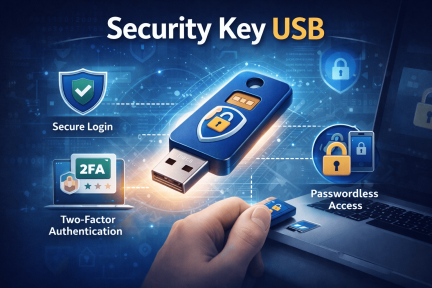
A security key USB is a physical authentication device used to verify a user’s identity during login. It acts as a second factor in multi-factor authentication (MFA), requiring physical possession of the device to access accounts.
Unlike SMS codes or authentication apps, a security key USB uses cryptographic protocols such as:
FIDO2
U2F (Universal 2nd Factor)
WebAuthn
These protocols prevent phishing and man-in-the-middle attacks.
Why Passwords Alone Are Not Enough
Passwords remain the weakest link in cybersecurity.
Common password-related issues include:
Weak or reused passwords
Phishing attacks
Credential stuffing
Brute-force attacks
Even strong passwords can be stolen through fake login pages. A security key USB eliminates this risk by verifying domain authenticity before authentication.
How a Security Key USB Works
Understanding how a security key USB functions helps clarify its security value.
Step 1: Registration
The user registers the key with a service such as:
Google Workspace
Microsoft 365
Enterprise cloud platforms
VPN systems
The key generates a unique cryptographic pair.
Step 2: Authentication
When logging in:
The user enters a username and password.
The system prompts for the security key USB.
The user inserts or taps the key.
The device verifies the login request cryptographically.
If the website is fraudulent, the key refuses authentication.
Benefits of Using a Security Key USB
Organizations gain measurable security improvements.
Strong Phishing Protection
A security key USB verifies legitimate domains, blocking fake login pages automatically.
Hardware-Based Security
Unlike software tokens, physical keys cannot be intercepted remotely.
Reduced Account Takeovers
Credential-based attacks become ineffective without the physical key.
Compliance Support
Many regulatory frameworks encourage or require strong authentication methods.
Security Key USB vs. Other MFA Methods
Businesses often compare hardware keys to other authentication options.
SMS-Based MFA
Vulnerable to SIM-swapping attacks
Interceptable
Authentication Apps
Safer than SMS
Still vulnerable to phishing if users approve malicious prompts
Security Key USB
Phishing-resistant
Cryptographically secure
Requires physical presence
For high-risk environments, hardware-based authentication is the strongest option.
Implementing Security Key USB in Enterprise Environments
Deploying hardware authentication requires structured planning.
Identify Critical Systems
Start by protecting:
Email accounts
Cloud storage
Financial platforms
Admin accounts
VPN access
Protecting high-value targets reduces overall risk.
Enforce MFA Policies
Require a security key USB for privileged accounts.
Provide Backup Keys
Employees should receive secondary keys in case of loss.
Train Employees
Educate users about:
Proper key usage
Safe storage
Reporting lost devices immediately
Training ensures smooth adoption.
Zero Trust and Security Key USB Integration
Zero Trust architecture assumes no implicit trust.
A security key USB strengthens Zero Trust by:
Verifying user identity continuously
Ensuring device-based authentication
Limiting unauthorized access
Hardware keys fit naturally into modern identity-based security frameworks.
Industry Applications
Different industries benefit significantly from hardware authentication.
Financial Services
Protect transaction systems and client data from credential theft.
Healthcare
Secure patient portals and electronic health records.
Technology Companies
Protect intellectual property and development environments.
Government and Defense
Meet strict compliance and identity verification requirements.
Common Challenges and How to Solve Them
While powerful, implementing a security key USB requires careful management.
Lost or Stolen Keys
Solution:
Issue backup keys
Enable rapid deactivation
Maintain centralized control
User Resistance
Solution:
Provide simple onboarding
Demonstrate phishing protection benefits
Offer training sessions
Compatibility Concerns
Modern security key USB devices support:
USB-A
USB-C
NFC
Bluetooth
Choose devices compatible with your infrastructure.
Security Key USB and Remote Work
Remote employees often access systems from home networks.
A security key USB protects against:
Phishing campaigns
Credential harvesting
Public Wi-Fi interception
Hardware-based authentication reduces remote access risk.
Cost vs. Value Analysis
Some organizations hesitate due to hardware costs. However, compare costs against:
Data breach remediation
Ransomware recovery
Regulatory fines
Reputation damage
A single breach can cost far more than deploying security key USB devices company-wide.
Best Practices for Maximum Security
Follow these guidelines:
Enforce hardware MFA for admin accounts
Use centralized device management
Combine with endpoint security solutions
Regularly audit authentication logs
Implement least privilege access controls
Layered defense ensures comprehensive protection.
Future Trends in Hardware Authentication
Authentication technology continues evolving.
Emerging trends include:
Passwordless authentication
Biometric-integrated security keys
Cloud-managed hardware authentication
Integration with identity threat detection systems
A security key USB plays a foundational role in passwordless strategies.
Frequently Asked Questions
1. What is a security key USB used for?
It provides hardware-based authentication to secure online accounts and prevent phishing attacks.
2. Is a security key USB better than SMS authentication?
Yes. It offers stronger protection against phishing and SIM-swapping attacks.
3. Can small businesses use hardware security keys?
Absolutely. Scalable options make deployment practical for organizations of any size.
4. What happens if a security key USB is lost?
Administrators can deactivate the key and issue a replacement.
5. Does a security key USB eliminate passwords?
It can support passwordless login systems when integrated with compatible platforms.
Final Thoughts: Strengthen Identity Security Today
Cybercriminals increasingly target user credentials. Passwords alone cannot stop sophisticated phishing and credential theft campaigns. A security key USB provides one of the strongest defenses available, delivering hardware-based protection that blocks phishing at its source.
For IT leaders and executives, investing in hardware authentication strengthens compliance, supports Zero Trust initiatives, and dramatically reduces account takeover risk.
If you’re ready to enhance your cybersecurity knowledge and implement stronger identity protection strategies, take the next step today.
👉 Register now to explore advanced cybersecurity training and solutions:
https://openedr.platform.xcitium.com/register/
Secure identities. Prevent breaches. Lead with confidence.

 Loading...