
Updated on January 20, 2026, by OpenEDR
Web applications are released faster than ever, but security often struggles to keep pace. Vulnerabilities introduced during development can remain hidden until attackers exploit them in production. This is where dynamic application security testing becomes critical. By testing applications while they are running, organizations can identify real-world security flaws before cybercriminals do.
For cybersecurity professionals, IT managers, and business leaders, dynamic application security testing is no longer optional—it’s a core component of secure software delivery. This guide explains what dynamic application security testing is, how it works, why it matters, and how organizations can use it effectively to protect modern applications.
What Is Dynamic Application Security Testing?
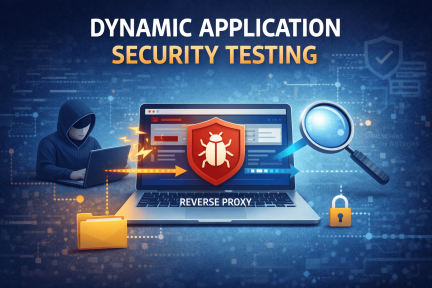
Dynamic application security testing (DAST) is a method of testing applications from the outside while they are running. Instead of reviewing source code, DAST tools interact with the application like an attacker would, probing for vulnerabilities in real time.
In simple terms, dynamic application security testing evaluates how an application behaves in production or staging environments. It identifies security weaknesses that only appear when the application is live and processing real inputs.
Key Characteristics of DAST
No access to source code required
Tests applications in runtime
Simulates real-world attacks
Focuses on exploitable vulnerabilities
DAST provides visibility into how attackers see your application.
Why Dynamic Application Security Testing Is Essential
Modern applications are complex, interconnected, and exposed to the internet. Static testing alone is not enough.
Why Organizations Rely on DAST
Identifies runtime vulnerabilities
Detects misconfigurations and logic flaws
Finds issues missed during development
Validates real exploitability
Dynamic application security testing bridges the gap between secure development and real-world threat exposure.
How Dynamic Application Security Testing Works
Understanding the DAST process helps teams deploy it effectively.
Step-by-Step DAST Process
The application is deployed and running
A DAST tool scans the application externally
The tool sends malicious or unexpected inputs
Application responses are analyzed
Vulnerabilities are identified and reported
Because it observes live behavior, dynamic application security testing reveals weaknesses static tools cannot.
Common Vulnerabilities Found by Dynamic Application Security Testing
DAST excels at identifying vulnerabilities that appear during execution.
Typical Issues Detected by DAST
SQL injection
Cross-site scripting (XSS)
Authentication and session flaws
Security misconfigurations
Insecure APIs
These issues often lead directly to breaches if left unaddressed.
Dynamic Application Security Testing vs Static Testing
Many teams ask whether DAST replaces static testing. The answer is no—it complements it.
DAST vs SAST Comparison
| Feature | DAST | SAST |
|---|---|---|
| Source code access | Not required | Required |
| Runtime testing | Yes | No |
| Detects logic flaws | Yes | Limited |
| Early development use | Limited | Strong |
A mature security program uses both approaches together.
DAST vs IAST vs SCA: Understanding the Landscape
Application security includes multiple testing methods.
Interactive Application Security Testing (IAST)
Runs inside the application
Combines runtime data with code insight
Software Composition Analysis (SCA)
Focuses on third-party components
Identifies vulnerable libraries
Dynamic application security testing focuses purely on external, attacker-style validation.
Benefits of Dynamic Application Security Testing for Businesses
DAST provides technical and business value.
Key Benefits
Reduces breach risk
Improves application trust
Supports compliance requirements
Protects customer data
Enhances brand reputation
For executives, dynamic application security testing helps manage business risk, not just technical debt.
Dynamic Application Security Testing in DevSecOps
Security must move at the speed of development.
How DAST Fits into DevSecOps
Runs in staging or pre-production
Validates releases before deployment
Integrates into CI/CD pipelines
Provides continuous security feedback
DAST enables security without slowing innovation.
When to Use Dynamic Application Security Testing
Timing matters for effective results.
Best Times to Run DAST
Before production release
After major feature changes
Following configuration updates
During regular security assessments
Continuous dynamic application security testing improves long-term resilience.
Limitations of Dynamic Application Security Testing
While powerful, DAST has limitations.
What DAST Cannot Do Alone
Identify all code-level issues
Replace secure coding practices
Detect vulnerabilities in unused code
DAST works best as part of a layered application security strategy.
Best Practices for Implementing Dynamic Application Security Testing
Successful deployment requires planning.
Actionable DAST Best Practices
Use staging environments first
Combine with SAST and SCA
Prioritize exploitable findings
Tune scans to reduce false positives
Integrate results into remediation workflows
Organizations that follow these practices see better outcomes from dynamic application security testing.
Dynamic Application Security Testing and Compliance
Many regulations require application security testing.
Compliance Use Cases
PCI DSS for payment systems
SOC 2 security controls
ISO 27001 application risk management
DAST provides evidence of proactive security testing.
Dynamic Application Security Testing for Modern Web Apps
Modern architectures introduce new risks.
DAST in Cloud and API-Driven Apps
Tests REST and GraphQL APIs
Validates cloud-hosted applications
Identifies authentication flaws
Detects API abuse patterns
Dynamic application security testing is critical for modern, internet-facing services.
Measuring the Effectiveness of DAST
Security leaders should track impact.
Key Metrics to Monitor
Vulnerabilities discovered per release
Time to remediation
Reduction in production incidents
Coverage across applications
Metrics help justify continued investment in dynamic application security testing.
Common Myths About Dynamic Application Security Testing
Myth 1: DAST causes application downtime
Reality: Modern tools are designed to test safely.
Myth 2: DAST replaces penetration testing
Reality: It complements but does not replace manual testing.
Myth 3: DAST is only for large enterprises
Reality: Organizations of all sizes benefit.
Understanding these myths helps teams adopt DAST confidently.
The Future of Dynamic Application Security Testing
DAST continues to evolve with technology.
Emerging Trends
AI-driven vulnerability detection
API-focused testing
Integration with XDR platforms
Continuous, automated scanning
As attacks become more sophisticated, DAST grows more essential.
Frequently Asked Questions (FAQ)
1. What is dynamic application security testing used for?
It is used to identify security vulnerabilities in running applications by simulating real-world attacks.
2. Does DAST require source code access?
No. DAST tests applications externally without accessing source code.
3. Can DAST find zero-day vulnerabilities?
It can identify unknown exploitable flaws based on application behavior.
4. How often should DAST be performed?
Ideally, before every major release and regularly in staging environments.
5. Is DAST suitable for APIs?
Yes. Many modern DAST tools specialize in API security testing.
Final Thoughts: Why Dynamic Application Security Testing Is Non-Negotiable
Applications are the front door to your business—and attackers know it. Dynamic application security testing provides real-world visibility into how your applications behave under attack, revealing risks before they turn into breaches.
For cybersecurity teams and business leaders, DAST is a critical investment in resilience, trust, and long-term security success.
Strengthen Your Application Security Today
Gain real-time visibility, exploit-focused testing, and stronger protection across your applications.
👉 Get started now:
https://openedr.platform.xcitium.com/register/
Because secure applications start with seeing them the way attackers do.

 Loading...