
Updated on January 13, 2026, by OpenEDR
Is your Windows system truly protected from modern cyber threats? With ransomware, spyware, and zero-day attacks on the rise, windows virus protection is no longer optional—it’s essential. Every Windows device connected to the internet is a potential target, whether it belongs to a home user or a global enterprise.
Many users assume built-in tools are enough, but today’s attackers move faster and smarter than ever before. Strong windows virus protection helps prevent malware infections, data breaches, and costly downtime. For IT managers and executives, it also plays a critical role in business continuity and compliance.
This guide explains what windows virus protection is, how it works, its limitations, and how to strengthen it for modern security needs.
What Is Windows Virus Protection?
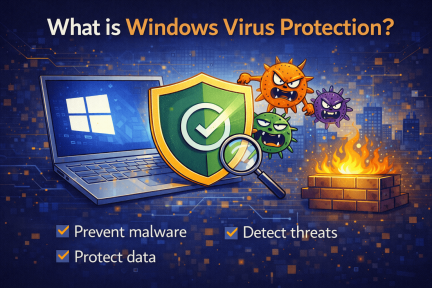
Windows virus protection refers to the tools and security features designed to detect, block, and remove malicious software on Windows operating systems. These tools protect against viruses, malware, ransomware, spyware, and other cyber threats.
Microsoft includes built-in virus protection through Microsoft Defender Antivirus, which provides real-time threat detection and basic endpoint security. However, modern cyber threats often require more advanced capabilities.
Core Functions of Windows Virus Protection
Real-time malware detection
Threat quarantine and removal
Protection against malicious downloads
Basic firewall integration
Security alerts and reporting
Understanding how windows virus protection works helps users make smarter security decisions.
Why Windows Virus Protection Is More Important Than Ever
Cybercriminals increasingly target Windows systems due to their widespread use. This makes windows virus protection a top priority for individuals and organizations alike.
Key Reasons Windows Systems Are Targeted
Large global user base
Frequent use in business environments
Access to sensitive data
Integration with cloud services
A single malware infection can lead to data loss, system downtime, or ransomware attacks that cripple operations.
How Windows Virus Protection Works
To fully understand windows virus protection, it helps to know how threats are detected and stopped.
Detection Methods Used
Signature-based detection – Identifies known malware patterns
Behavioral analysis – Detects suspicious activity
Heuristic scanning – Identifies new or modified threats
Cloud-based intelligence – Shares threat data globally
These methods work together to identify threats before they cause damage.
Built-In Windows Virus Protection: Microsoft Defender
Microsoft Defender is the default antivirus solution for Windows 10 and Windows 11.
What Microsoft Defender Does Well
Real-time protection
Automatic updates
Integration with Windows Security
Basic ransomware protection
For everyday users, Microsoft Defender offers a solid foundation. However, it may not be enough for advanced threats.
Limitations of Default Windows Virus Protection
While built-in tools are helpful, they have limitations.
Common Gaps in Basic Windows Virus Protection
Limited behavioral detection
Reactive rather than proactive defense
Minimal visibility for IT teams
Limited incident response capabilities
Advanced attackers often bypass traditional antivirus tools, making layered protection essential.
Advanced Threats That Windows Virus Protection Must Handle
Modern malware is far more sophisticated than traditional viruses.
Common Threats Targeting Windows Systems
Ransomware
Fileless malware
Phishing-based payloads
Zero-day exploits
Advanced persistent threats (APTs)
Effective windows virus protection must adapt to these evolving threats.
How to Strengthen Windows Virus Protection
Improving windows virus protection requires a multi-layered approach.
Best Practices to Enhance Protection
Keep Windows and applications updated
Enable real-time protection and cloud scanning
Use strong passwords and multi-factor authentication
Restrict administrative privileges
Monitor system activity regularly
Security improves significantly when prevention and detection work together.
Windows Virus Protection for Businesses
Businesses face higher risk due to sensitive data and compliance requirements.
Business-Focused Security Needs
Centralized management
Real-time threat visibility
Automated response
Endpoint isolation
Incident reporting
For organizations, advanced endpoint protection goes far beyond basic windows virus protection.
Windows Virus Protection vs Endpoint Detection and Response (EDR)
Many organizations now supplement antivirus tools with EDR.
| Feature | Windows Virus Protection | EDR |
|---|---|---|
| Malware Detection | ✅ | ✅ |
| Behavioral Analysis | Limited | Advanced |
| Threat Hunting | ❌ | ✅ |
| Automated Response | Limited | ✅ |
| Visibility | Basic | Full |
EDR solutions provide deeper insight and faster response to advanced attacks.
How Windows Virus Protection Supports Compliance
Regulatory standards often require strong endpoint security.
Compliance Frameworks That Rely on Endpoint Protection
GDPR
HIPAA
PCI DSS
ISO 27001
Properly configured windows virus protection helps meet audit and compliance requirements.
Common Mistakes That Weaken Windows Virus Protection
Even strong tools can fail if misconfigured.
Mistakes to Avoid
Disabling real-time protection
Ignoring security alerts
Running outdated software
Allowing unnecessary admin access
Security is most effective when users and tools work together.
Signs Your Windows Virus Protection Isn’t Enough
Watch for warning signs that indicate gaps.
Red Flags
Frequent system slowdowns
Unexpected pop-ups
Unauthorized software installations
Suspicious network traffic
If these appear, it’s time to reassess your windows virus protection strategy.
The Future of Windows Virus Protection
Threats continue to evolve, and so does defense technology.
Emerging Trends
AI-driven malware detection
Zero Trust security models
Automated remediation
Cloud-based threat intelligence
Modern windows virus protection is becoming smarter, faster, and more proactive.
Frequently Asked Questions (FAQ)
1. Is Windows virus protection enough by itself?
It provides basic protection, but advanced threats often require additional security layers.
2. Does Windows virus protection stop ransomware?
It can block some ransomware, but advanced ransomware may bypass basic defenses.
3. How often should Windows virus protection be updated?
Updates should occur automatically and frequently—ideally daily.
4. Can malware bypass Windows virus protection?
Yes. Fileless and zero-day attacks can evade traditional antivirus tools.
5. Should businesses rely only on built-in protection?
No. Businesses should use advanced endpoint security solutions for full coverage.
Final Thoughts: Why Windows Virus Protection Matters
Cyber threats aren’t slowing down—and neither should your defenses. Strong windows virus protection is the foundation of a secure system, but it works best when combined with modern, proactive security strategies.
Whether you’re protecting a single device or an entire organization, investing in stronger endpoint protection reduces risk, improves visibility, and strengthens resilience against cyberattacks.
👉 See how advanced endpoint protection strengthens Windows security—get started today:
https://openedr.platform.xcitium.com/register/

 Loading...